For the benefit of anyone else who missed the memo, Pulitzer Prize winning stripper, Berkely Breathed is back in the funny pages with a syndicated Sunday slot. Set back in Bloom County , with a mostly familar cast, with the mildest focus shift to centralising around the escapades of the titular waterfowl. It's readable online at Salon.com , although sadly there's not a feed, so you may need to schedule a reminder of your own.
Economic tailspin, leg-warmers, tired, bloated government set on self-destruct, jingo-tastic US presidential campaign underway, and Bill The Cat! The 80s are most definitely back.
While revisiting this, I took the opportunity to re-implement it, aiming to fix a few of it's faults, most specifically the terrible performance. I decided to use Python this time around, chiefly because of the existence of appscript , an apple event bridge with a nice syntax. Python's object and sequence semantics are a slightly better fit with AppleScript's data models, and appscript should be a more optimal solution than Mac::Glue for sending lots of messages iteratively.
I've also improved the actual command recipe, using 'duplicate' rather than 'add' to build the playlist seems more efficient. Also the overhead of having to periodically build glue modules with the ' gluemac ' tool is removed. Sadly appscript isn't shipped with OS X, but installing it ( at least on Leopard ), is as simple as ' sudo easy_install appscript '.
The concept behind the tool is the same : use a nominated playlist to synchronise the albums with the iPod, and pick a random set of albums from buckets organised by album rating. Currently it's set to shuffle in 10 '2 star' albums, 20 'three star' albums, and 30 'four star' albums, selected from a 'just music' smart playlist that filters the master library, removing all spoken word, and podcasts and other miscellany from the pool.
Here's the source . I'm far less experienced at python than I am perl, so I wouldn't claim it was a particularly idiomatic solution. It does run many times more quickly than the perl / Mac::Glue solution, taking a minute or so, rather than the best part of an hour. I would put all the performance gains down to the AppleEvents bridge , appscript interface, and using more efficient apple event set operations, rather than iterating over individual data.
Some advice for when you're debugging code using the whizz-bang, illustrated debugger in XCode 3, and suddenly find that none of your breakpoints are triggered. XCode forgets all your breakpoints! Even plain breaks at line numbers disappear when you hit "Go". You may have some, or even all, of the following symptoms.
The little blue indicators in source view just turn yellow (for 'pending') when the debugger loads your executable, and never go blue again.
The tickbox for 'Use' in the debugger breakpoint list view, turns to a dash for half-checked.
Attempts to set symbolic breakpoints which used to match multiple symbols don't match any symbols.
"break info" in the gdb console doesn't list anything.
If you're anything like me, you might be muttering loudly by this point, and perhaps banging things. Cleaning the entire project, and rebuilding all the dependencies doesn't seem to help. Nonetheless there may yet be hope! In my case, setting the debugging option 'Load symbols lazily' to off, magically fixed things again. This setting is found in the IDE preference pane - XCode -> Preferences -> Debugging .
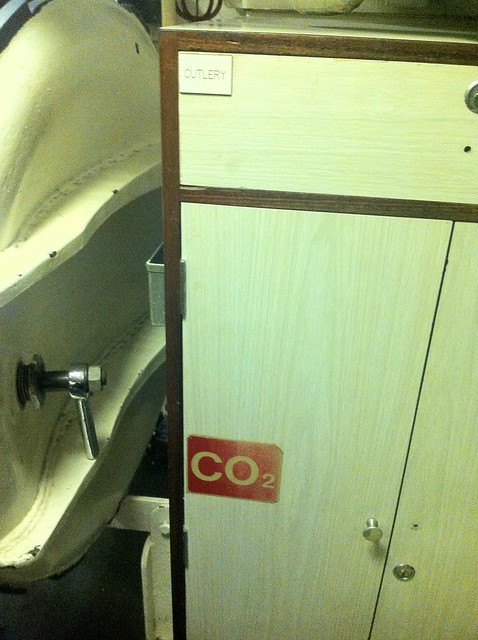
This afternoon I went on a short guided tour of the decomissioned Royal Navy submarine, HMS Ocelot . It's in a dry-dock at the Royal Dockyards working museum at Chatham , just 20 minutes down the road from home.
Apologies for the poor quality of the photos. I only had my iPhone, with 15% remaining charge, and submarines do not offer much in the way of natural lightning.
Despite having owned a year pass for the best part of a year, and frequently admired the Ocelot from the outside, this is the first time I've been aboard. The tour is short, cramped, and completely fascinating, although perhaps not for the squeamishly claustrophobic, and definitely not for the mobility impaired.
The Dockyards is a superb example of a modern lottery-assisted regeneration project. There's several large ships in dock you can wander around, huge warehouses full of boats and machinery to pore over, a ropery, an art gallery space, a working steam railway, several sub museums. Far more than you can do in a single visit, but your ticket, once purchased, is good for 12 months of repeat admission.
As hinted in my last post, we've recently spent a week away. Visiting with Judi and Jonathan in Normandy in their ongoing barn conversion, failing to construct a goat-shed, appreciating unusual motor vehicles, hanging in a yurt, eating great food, drinking French beer, enjoying good company, and marvelling in some simply astonishing weather.
As a warm up to the main event, we spent the afternoon clay shooting courtesy of Avago entertainments. My nerves, already twisted by a long minibus drive, the rented bus an antique with a hundred and fifty thousand on the clock, the driver a first-timer, who kept commenting that he found the vehicle strange to drive as it had no brakes, I was feeling rather jumpy about spending the rest of the day discharging firearms. Luckily, just as we pulled up at the venue, I discovered my fears were all misplaced. We would, in fact, be laser shooting.
Effectively it is laser tag. The 'guns' are real deactivated shotguns, equipped with an infra-red sensor and transmitter. They communicate with the CPU in the scoreboard unit via a wireless network. The 'clays' are in fact miniature frisbees,covered with reflective stickers. You flick a switch to load your gun with two 'rounds', and if the gun receives a reflection back when you pull the trigger, it records a hit. The base unit plays sampled sound effects in sync to represent rounds fired and breaking clays, in the case of a hit. A small LED within the gun's sight flashes red or green to indicate a failure or success immediately after each shot.
It's a more effective system than I'd have predicted, and thus surprisingly good fun. The guns come across as accurate, and the full weight reinforces your suspension of disbelief. I found a real sense of development, in that I managed to improve measurably as the day wore on, and I accumulated practice, although I was suddenly, shockingly poor at the game where you had to pick up your gun from the floor, sight and fire while the clay was in flight. The event was well run, with a considered graduation of difficulty moving up from practice rounds, through to scoring, with enough changes in setting and rules to keep interest keen all the way through to the end of the session, where points were tallied, and the top scorers compete in a final shoot-off. I missed the cut, mostly due to the aforementioned speed round. Overall it's an absorbing afternoon's entertainment, and good value. I'd recommend it if you're looking for something to do with an appropriately sized group for around half a day or so.
If you have a Mac, and you use Terminal.app to run UNIX commands, try executing this for a cool shell prompt
export PS1="\360\237\220\232 $ "
See what I did there?
If you are using a UTF-8 encoding for your terminal, which you probably are, and if you're using a recent OS X, and have the right fonts installed, which you probably do, you should have a little sea-shell graphic for your prompt. Literally a cool shell prompt.
In a recent revision to Unicode , code points were assigned for many emoji. Emoji-what-now? These are little emoticon glyphs that rose to popularity in Japan . Apple have included a nice typeface with full colour icons for a subset of these in the last couple of releases of both iOS and OS X, so you can use them in most applications that use the system type rendering library, like Messages. On OS X, this includes the bundled Terminal.app terminal emulator. So you can print little icons in your shell, if you know an encoding for a particular glyph.
Here's the ever popular 'pile of poo' ( U+1F4A9 )
Not sure what that is supposed to be used for, but it's terribly popular on the internet. "But how", I hear you ask, "do you find out the encoding sequences for these appealing novelties?"
Well, you can search for unicode code tables on the internet. On the Mac though, the easiest thing to do is probably to enable the Character Viewer tool via the Language and Text System preference pane.
This gets you a panel like this, where you can browse all the characters your computer knows how to render, including all the emoji sets, and find out their Unicode code points, and more importantly, a way to encode that code point in UTF-8.
So, as you can see in my fecal example, the UTF-8 byte sequence for 'pile of poo' ( U+1F4A9 ) is F0 9F 92 A9, and we can print that in a bash shell, using echo with the -e flag to enable interpreting of escape sequences, using the \x escape prefix to indicate bytes in hex.
Going back to the original shell trick, the shell emoji ( U+1F41A ) has the UTF-8 encoding F0 9F 90 9A. The bash shell doesn't seem to have an escape sequence for hex encoded bytes in it's prompt string, but it does interpret 3 digit codes prefixed with a plain \ as octal encoded literal bytes, so if we convert this hex string to four octal numbers, using bc or od, or emacs or just Calulator.app, we get the escape sequence from my initial shell example - "\360\237\220\232"
So far so cute. But is there anything vaguely useful you can do with this sort of thing? Sort of. A picture's worth a thousand words. So we could perhaps encode mnemonic information in icons, and somehow dynamically update the prompt to reflect this.
Bash will execute the contents of an environment variable PROMPT_COMMAND as a shell command immediately before the shell prompt is printed. Typically this is used to update terminal colours or title strings with escape sequences, or update PS1 to add some content that can't be printed using the built-in prompt escape functions. I decided to make my prompt respond to the result of my most recent command.
Here's the relevant shell glue I just stuck in my .bashrc
emoji ()
export PROMPT_COMMAND='PS1=$(emoji $?)'
This runs a shell function called emoji in a subshell, which returns a string based on the input argument. The input argument I'm using is the exit status of the last shell command. This gets me a smiley face in my shell prompt, unless the last command I ran returned a non-zero exit state, which in UNIX, indicates a problem happened. This makes my prompt draw as a 'confused smiley', if something has gone wrong.
It seems like the iPhone 3G has been another smash hit. Certainly here in the UK, with pretty universal 3G signal coverage, there's lots of interest, and the handsets are selling out as quickly as they come into stock. Several people I know who waited out the first generation immediately signed up for the 3G edition.
Responses to the new platform seem mostly positive, although there's already some mild grumbling seeping through across the web. There's more software glitches, unsurprising; given the rush of new third-party applications there's countless potential software combinations interacting in unpredictable ways. The new units eschew the metal casing of the original iPhone, for a return to possibly scratch-prone iPod plastic. 3G mode depletes the battery rapidly, just as Apple said it would, when they justified their initial transport choice of GPRS/EDGE. The camera is unimproved over the first generation (although I have always been rather impressed with the iPhone camera. For a phone, with no flash it takes great photos, a textbook-worthy example of why it's nothing to do with the megapixel count)
So maybe it's not the holy grail of portable devices. It's certainly not for me. I don't like the idea of being locked to a single phone company. I don't want a smartphone that can't be used as a 3G modem - I've grown too used to being able to connect a variety of devices up to the net, using USB / bluetooth or even infra-red links. It's a little big for my idea of a phone.
As a portable, internet connected, media player cum tablet, it can't be beaten. The mobile browser is immeasurably better than any others I've used. The iPod, photo, and movie playing is slick, and the iPod + iTunes combination still the best available digital music library implementation. The straightforward syncing of contacts and calender information beggars belief (at least for Mac users, such as myself ). Thrown in a few simple PIM applications, ebooks and games from the Application store, and you're looking at a compelling platform.
Of course, you can get the majority of this behaviour in the iPod touch. Smaller and lighter than it's phone siblings. Metal back. iPhone-trouncing storage capacity (up to 32GB). Runs the same operating system and applications, same beautiful interface. No contract. The downside being that you can only use it as an internet device over WiFi, which means you need to be tethered to a hotspot. Except it doesn't mean this at all.
There's a simple recipe to open up the iPod touch's internet capabilities to something much closer to the iPhone.
Arrange a 3G phone+data connection with the phone provider of your choice. I use T-mobile , I'm very happy with the service.
Choose a phone handset, with a high speed modem capability. Make sure you get a model with WiFi . I have a Nokia E51 . It's lovely. Depending on your phone contract terms, you may get this as a freebie.
Configure your phone to act as a WiFi hotspot, using something like WalkingHotspot
Join your iPod touch with your phone's WiFi network. Enjoy 3.5G connectivity on the go!
Of course it's not a drop-in replacement. You don't get an in-device camera or GPS, although you may have these in your phone. You do get to spread the battery load between two devices, one with the big screen and multimedia capabilities, another with the data transmission hardware. Although WiFi use will run down your iPod battery faster, you might still find that this combination outperforms an iPhone 3G.
Cesare Bonizzi, a 62 year old Capucin monk from Milan, Italy fronts a genuine metal band . They have recently released their second album<a> . According to the BBC piece it's 'hard core' metal.
Every time I install a fresh debian derived linux, I subsequently find out that I'm missing the man pages for the C library. Usually many months later, it's not like I program in C for kicks. I then waste twenty minutes fruitlessly grepping around in apt using patterns like 'glibc'. The package name is actually 'manpages-dev' . Perhaps posting it here will fix this in my memory.
I like Apple Mail a lot, it's one of my favourite examples of GUI desktop application, but the last couple of iterations have made it a little more clumsy to use with keyboard navigation, and it doesn't scale terribly well to managing multiple, high-volume IMAP accounts. Particularly, I find refiling groups of similar emails to be more labour intensive than this task would seem to require. By means of contrast I love refiling mail on my iPhone using Apple Mail for iOS, in truth I love using Mail on my iPhone for any mail task way more than I'd expect, it's insanely usable for an email client on a tiny, squeezable hand-toy.
The real impetus for investigating a desktop alternative has come from our recent switch to using GMail for our corporate mail service at work. I hate google mail's not-quite-IMAP IMAP implementation, I hate it's sluggish IMAP performance through Mail.app, and I hate hate hate it's god-awful webmail interface. So I've been putting some thought into rethinking the way I process email. Naturally my first line of attack is to retreat to emacs .
I've used emacs for mail before, on and off. When I first switched to using linux for my desktop systems, way back in the 90s, I used gnus on emacs for mail for a while, then when I made the switch to XEmacs for a couple of years I discovered VM , which was my main INBOX on and off, following me back to GNU Emacs, with occasional experiments with Netscape Navigator , and Evolution up until I switched to a Mac full-time, around 2001. I do recall trying Thunderbird a couple of times, but I could never tolerate it for much longer than a half-hour. I also used Wanderlust for emacs for a few months when I first started working at last.fm, but I switched to using a Mac at work shortly after that, and added my work email to my Apple Mail setup.
This time around I'm trying to re-organise the way I approach mail fundamentally. A few years ago, I started deleting mail after I'd read it, unless I definitely felt it warranted keeping. I really liked the feeling of freedom that seemed to open up, releasing me from worrying about tidy filing of hierarchical mail archives that always needed archiving and backing up. Inspired by GMail's approach to tagging and searching, the mail I did keep I filed into a small set of IMAP buckets and indexed them in Apple Mail with labels and "smart folder" searches. So I'm trying to push that even further, and I'm trialling mu , a decidedly minimalist interface to email.
mu works over a local mail store, ideally Maildir . So I've started syncing my work GMail account to my laptop, using the mature, Free software syncing tool offlineimap ( I installed it from macports ). offlineimap has specific GMail support, and it's super-easy to set this up to sync to a GMail account, although I had to add a
 folderfilter =
  lambda foldername: foldername not in ['[Gmail]/All Mail']
to the account configuration in ~/.offlineimaprc to stop it syncing the Gmail "All Mail" filter as an IMAP folder, meaning I had 2 copies of every email going down. I set up a User launch agent via launchd to run offlineimap every 5 minutes, syncing to ~/Library/OfflineIMAP/lastfm/
Once the mail was syncing both ways, I ran
MAILDIR=~/Library/OfflineIMAP/lastfm/ mu index
to initialise the mu indexes. I can now explore the mail archive from the shell using commands like
mu find from:jira date:2w..today
which would return a summary list of emails matching the search criteria (i.e. all mail sent from JIRA in the last 2 weeks). mu is based on the xapian indexer library, and these queries run lightning-quick. The indexing process is thus entirely separate from the imap sync, and the indexes need to be updated by re-executing the 'mu index' command to keep them fresh. This takes fractions of a second after the original indexes are built.
I'm not really interested in running searches from the shell though. mu is really an archive browser ; ideal for integrating with other mail reading and sending utilities. mu ships with a nice keyboard friendly emacs interface called mu4e . mu4e offers quick navigation short cuts to browse IMAP folders, a simple syntax to mu searches, and a list of bookmarked searches, much like virtual folders. mu4e can be set to periodically update the mu index, and even run a Maildir sync, such as offlineimap. Here's the config elisp block from my startup files.
all of which is quite straightforward. The root of the various folder paths is the top level Maildir. mu4e-sent-messages-behaviour is set to the symbol delete, which is recommended for GMail accounts, as GMail auto populates one of it's magical pretend folders with all sent messages. I have set mu4e-get-mail-command to true because I prefer to have the Maildir synced via my launch agent, independently from emacs.
There's a very nice mu4e manual which documents the package in detail, I haven't managed to work through it all yet. So far I'm managing quite well with manual searches, and the default set of keybindings and stored bookmarks. List view management follows the usual emacs semantics of building up 'marks' on list entries and then applying the actions in bulk, familiar to habituated emacs users from org-mode , wanderlust, dired etc.
The mail and editing and sending is borrowed from the usual emacs GNUS / smtpmail combination, which is fine, as these work perfectly well.
I've found only one tricksy wrinkle; mu4e, like any sensible thing expects email to be in plain text. If the viewer is summoned on a rich text ( usually HTML ) mail, it tries to convert it to plain text for viewing. By default is set up to use emacs built in html2text method, which frankly sucks, and failed to convert the majority of HTML mail in my INBOX. mu4e has a configuration variable mu4e-html2text-command option to use an external conversion command. This should be a utility that accepts HTML input on stdin, and returns converted text on stdout. The manual suggests using the python-html2text utilities, but I think on a Mac it makes more sense to use the mildly obscure, but occasionally useful, Apple provided shell tool - textutil
It needs to be invoked like this to work with mu4e.
  (setq mu4e-html2text-command
  "textutil -stdin -format html -convert txt -stdout")
And with that, everything works great. I'm going to try living with it for a few weeks before I customise it further, but I'm looking forwards to setting up Wanderlust-style dynamic refiles, and integrating crypto support, so I can return to GPG encrypting and signing my mail again, like I ought to, at my age. Never forgetting, of course, cms 1st law of software :- "All mail clients suck, intrinsically"
An excellent festival. More completely organised than I expected. This came to prominence straight away, when a rather spacey lady handling our tickets failed to give us one of the essential ID cards that pair up with the wristband to allow entry and re-entry. A security guard stopped us from heading back in to point out the error. Anticipating anguish at the gate, and hoping that a single card and a friendly attitude might get us through, we were met by a super-friendly chap, speaking perfect English, who whisked us back to the check-in, where we waited for the woman to confirm that her stack of cards and tickets were out by one, and furnished us with the missing card. And then we were in. Things do not run that smoothly at Glastonbury when your credentials go awry!
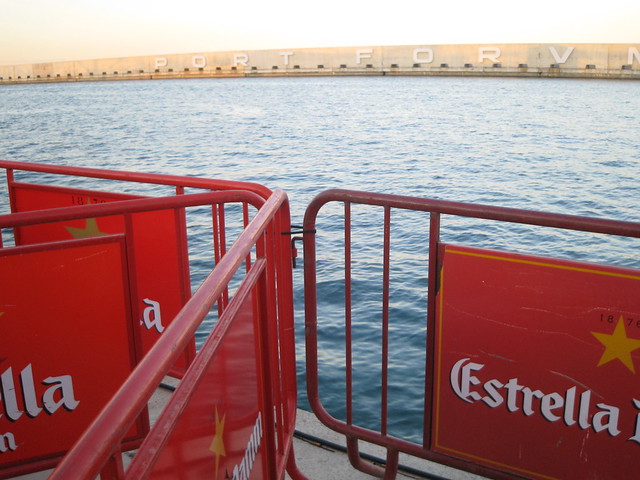
The venue is good, purpose built, although admittedly it does have a slight air of NCP car park to it. There are three amphitheatres with banked steps of seating set facing out to sea. These make up the RockDelux , ATP and the VICE stages. The other two stages, namely the CD Drome , and the Estrella Damm stage are set up on the main paved area that links the first three, with the food market between them. There are two gigantic arrays of solar cells, apparently the largest in Europe, which at least made a handy shelter during the couple of light rain showers, even if they sadly aren't used to directly power the festival itself . There is also an indoor concert hall, the Auditori, which I didn't manage to set foot inside once, a combination of not being nearby when anything compelling was happening there, plus not quite being able to figure out where the entrance actually was!
The festival runs over several days, Thursday to Saturday, and keeps to a gruelling schedule, starting at four or five p.m., and running through till four or five a.m the next morning. It's really all about the music, as there is little else to do onsite, other than browse a few T-shirt and record label stalls, eat functional outdoor food, or drink expensive sponsor beer from plastic cups.
It's far less wear upon the legs and feet than the typical British festival, the proximity of the stages, along with the near-universal seating, and paved footpaths rather than clogging mud fields thankfully mean that it's just the marathon running time contributing to your fatigue, not trudging miles around countryside inbetween sets. The climate was pleasantly appropriate, a few spots of light rain but it was mild enough to be comfortable in light clothing all the way through the evening, so you could just stick to the basic set of clothes you came in wearing, not wrestle with lugging around cumbersome outfit changes to cater to changes in the weather.
It may be just a result of the lack of crowding, but the toilet facilites were fine, little queuing, and freshly clean each day. I recommend taking a little dispenser of handwash gel, you can pick these up in the chemists nowadays.
Another benefit of the close site is the number of acts you can practically watch. As the stages are just separated by a minute or two's easy stroll you can mix and match to take in as much, or as little of a set as you fancy. It's quite possible to watch the start of one artist's set for a couple of songs, and then wander around another three stages watching a couple of numbers at each, and still return to the start to catch the final few of the original. This all makes it incredibly easy to sample new or interesting acts on spec without having to miss out on much if any of your must-see sets. Over the three days we easily managed to see dozens of acts, with comparatively little effort.
It would take too long to run through them all in detail, so I'll just group the highlights into some buckets.
Just Superb:
Shellac completely rocked my world. I really only knew their material circumstantially before watching this set, but I'd marked their card, as they don't seem to play that often within easy reach. They were just spellbindingly awesome from the start through to the end of their set. By the time they wound up, they had the largest crowd I ever saw at the ATP stage, it seemed like more than half the festival had turned up. Converted me into a raving Shellac fan on the spot.
Devo were a complete surprise. I only knew the two or three obvious Devo tracks, and I figured they'd be an entertaining novelty for at least a couple of tunes. They were far more tight and enthusiastic than I'd expected, great fun to watch, and had a surprising amount of the crowd singing along to pretty much everything. As the Friday evening seemed to have more Spanish attendees than I noticed at the other nights ( the festival audience seemed to be at least 30-40% English speaking foreign types like us, I'd reckon ), I was forced to wonder whether Devo had been absolutely huge in Spain back in the day. An unexpected joy.
Dr Octagon aka Kool Keith aka The Ultramagnetic MCs . Another legendary name I'd be unlikely to see in any other context, who seemed worth at least a look, and kept me there for the whole of the set, and certainly provoked the most enthusiastic and sustained dancing. Kutmasta Kurt set it up brilliantly with the warm up DJ set, and Keith must be one of the few rappers I've watched who seem to rhyme as sharply and clearly onstage mic, as they do on record.
Okkervil River. I really liked The Stage Names , when I got it, and I went along assuming they'd be one of my favourite sets of the weekend, but they far exceeded my expectations, with great sound, lots of audience interaction, big songs, and impeccable manners, including banter and songs in Spanish. They're playing the Trinity in a couple of weeks.
Great:
Boris: One of my shortlist of must-see bands, I've really been enjoying Boris' varied output lately, and this live set didn't really disappoint. Conveniently loud enough to be heard starting up over Portishead 's set on the adjacent stage, this was high-volume, high-energy noise rock, with added spangly costumes, extravagant percussion equipment and crowd surfing.
De La Soul : De La Soul do their thing to perfection, every time I've seen them. It's amazing how well they can conjure up a party atmosphere in front of a giant outdoor audience, with all the call and response, and hands in the air, and picking people out of the crowd to shout out the words (wrongly as it rather embarassingly happened in the case of one young lady). Essential.
Caribou : (Formerly Manitoba), I hear a lot of Beta Band in this intriguing Canadian outfit. Had to miss them at Dot To Dot the weekend before, but made sure to catch the majority of their set in Barcelona. Loops, multiple drummers, folky vocals and an excellent light show.
Man Man : Crazy monkey energised tribal circus jazz , with no track breaks, instrument swapping, and leaping over drum kits.
Fuck Buttons - loud noise loops, distressed vocal monkey dancing, synchronised bowing and drumming fuelled more by enthusiasm than precision. Rather a one trick act, but it's a pretty good trick played large, at volume by the seaside, aside a Spanish sunset.
Not Great:
The Go! Team , are party by rote, second time I've seen them, and they don't do anything for me.
The whole 'Legends of alt.-rock' segment, with Dinosaur Jr. , Buffalo Tom , Sebadoh etc. just left me cold, reminding me of why I never really cared much for that family of bands in the first place. I'll let the Bob Mould band have a free pass though, as I like quite a few of his songs, and he rocked.
Likewise, I think Portishead don't really bear up to repeat viewing, on stage I find them dull rather than atmospheric. Beth Gibbons was on the same EasyJet flight we took back to Bristol, disconcertingly, which made me feel a bit embarrassed to be wearing a Primavera T-shirt.
Disappointments:
Tindersticks were boring, and seemed unenthusiastic. I wasn't that surprised, because I've struggled to get much out of any album since 'Curtains'. I don't think they really suit a large outdoor show, especially with sound spill from noise bands on adjacent stages.
Om were a bit of a let down, I think a combination of my high expectations, along with a difficult slog through to wait to the start of their 3:30am slot, and the fact that they seemed to be playing much more briskly live. I only managed a couple of songs. I may try and catch them at ATP release the bats 2008 , later this year ( Shellac! ).
Public Enemy just looked a bit panto to me, with all the marching and shouting and uniforms. They weren't helped by an extended intro set from the Bomb Squad that was really excellent, leaving them a bit upstaged by their own DJs when they finally arrived.
The Vice stage was a bit of a pain to get to, with the steep steps down, narrower than most of the linking pathways forming a bit of a bottleneck. The setting was nearly worth it, a stage surrounded by water, with sailing boats cruising past the acts as they played, but it was a tiring climb, and tended to clog up with people just deciding to take advantage of sitting on the steps, as the evening marched on.
On balance, it's a superb showcase for the live music, and so long as you're mostly motivated by that, I'd recommend it to anyone. I'm already making sketch plans for 2009! If you're more interested in soaking up some outdoor festival ambience, then not so much.
It took me a while to figure out the best approach to a city festival like this. I was still a bit consumed by the idea of kitting up trekking out to a remote site, and staying onsite and within the compound for the duration. I think a better approach may be to attend in two or three waves. There even seemed to be a few natural pauses in the lineup, a couple of times around about 8-9pm on various days, I found brief windows where I was wandering between completely empty stages.
It's trivially easy to pass in and out, assuming you have the pass card with it's barcode for scanning, it's just a breeze through the turnstiles. The site is incredibly easy to get to via the underground train. Even though it looks like it's on a remote stop, it's really just ten minutes or so ride out from the centre and the trains are very regular. You could easily manage an early session catching the opening acts for a while and enjoying the sun, wander off for refreshment, dip back in for a couple of hours, take a break again, and then head back to dig in for the headliners. You can get transit tickets that cover ten journeys of any length on trains and buses from vending machines in the metro station.
Getting home at the end initially seems more tricky. The event runs through till 4 or 5 am in the morning, but the handy metro stops at either 2 am or midnight(on Sunday), apart from Saturday night which has a 24 hour service. There is a night bus system, but I didn't manage to figure out either the routes or the numbers. A definite mistake was trying to walk back along the coast - although it's not a huge distance, and the early morning climate is accommodating, the terrain is not very friendly at all, it's a poorly lit mixture of rough tracks, unpaved land, and arterial roads.
There's a festival sponsored bus service that takes you from right outside the gate to the Plaça de Catalunya, every fifteen or so minutes. As well as the terminus for all the unintelligible Night Buses, this is fairly central. We did this one evening, and then walked back through Barcelona to our apartment, which was far easier going than the coastal route. Too late to take advantage of it, we realised that the Metro opens for service again at 6 am in the morning, I would say that the easiest option may even have been to hang on through to the end of the event and then wait for the metro to start up again. If I go next year, I'll definitely give it a try.
Sometimes you run programs in xterm windows that try and do you a favour, by setting the xterm title property. Potentially useful enough, but aggravatingly some of them don't restore the previous title when they exit. If you're using some scheme of your own to set meaningful window titles, this is annoying.
Here's a shell one liner that you can use to grab the current title in an xterm. You could use this to write a wrapper script that gracefully launches any such rude application, and restores the rightful title property when it's done