Fake Holzer 2012-08-27
Fake Jenny : Disappointing, and yet perhaps appropriate, @jennyholzer is not the work of the artist, although they use her words.
tagged as
Fake Jenny : Disappointing, and yet perhaps appropriate, @jennyholzer is not the work of the artist, although they use her words.
One thing I wasn't expecting, from last month's new Apple hardware announcements, was the new MagSafe 2 power connector . The new Retina MacBook Pro, along with the 2012 " Ivy Bridge " MacBook Airs, have a new MagSafe port, physically incompatible with the previous generation, unless you use a little adaptor widget , which was luckily introduced for sale on the very same day.
MagSafe is Apple's name for their clever system of attaching the power line to their laptops to charge. Some say too clever by half. The cable has two pins, arranged as two symmetrical pairs , so you don't need to worry about orientation when you connect it up. The pins live in a little oblong recess, surrounded by a thicker shiny metal lip, which is magnetized. The power socket has the complementary inverse shape and magnet, meaning that they eagerly cup together to form a snug charging connection when introduced. The other significant benefit of this arrangement is the ease of disconnection, nice in itself, with the additional blessing that if some clumsy person, perhaps a passing dalmatian , blunders through your cable while you're tethered to the mains, your computer doesn't fly from the desk and shatter, the magnet just snaps free. I'm a big fan.
And so, on to MagSafe 2. Essentially it's the same thing, but in a different shape. The pin configuration and spacing seems to be the same, but the magnetic lozenge, and the companion socket have been reshaped to be longer in the lateral plane, and slightly shorter in height. The shape of the connecting plug has returned a the symmetrical rectangular nub, with embedded charge indicator. Reminiscent of the first generations of MagSafe, but Aluminium, rather than white plastic, and slightly longer, making it perhaps a bit more finger friendly.
Most commentary I've seen about this form change has settled on the Retina MacBook Pro as the motivation for this change, speculating that the move to thinner unibody laptops requires a thinner connector. I'm pretty unconvinced by that argument. The MagSafe 2 is only a millimetre or so thinner than the previous design. I think that if your design constraint was to shrink the connector, you could make it smaller. Furthermore, the traditional Magsafe port is almost the same height as a USB or HDMI socket, and the Retina laptop case houses these ports, without compromise. I have a different theory about the reasoning behind this new shape.
I think the most significant change is that the contact area of the magnetic surface has now nearly doubled. It's a lot more grippy than it's ancestor. Anecdotally, over the lifespan of the MagSafe, I've heard complaints from other users about the reliability of the chargers, particularly about cable and connector failure. Having never experienced similar problems with the half-dozen plus MagSafe chargers I've owned, I've puzzled about this. I wonder how many people might be disconnecting their chargers by yanking on the cable. This works as a method of disconnection, but it's not a very sensible approach, it puts a lot of mechanical stress on the junction between the cable and the plug. Do it enough, and you'll eventually break it. The magnetic coupling is most efficient in the horizontal plane. What you ought to do is flick the plug out, by hooking a finger underneath the connector plug, and angling it up away from the socket.
Apple certainly seemed to recognise that there was a UI problem here. Perhaps an expensive one, if enough customers were returning broken chargers to stores. They even produced a technote about the correct way to disconnect a MagSafe. Then MagSafe plug connectors changed shape over time . The strain relief on the cable junction lengthened, and then the plug changed from the original stubby T-shape, to a longer L-shape, itself subsequently re-inforced with additional strain relief. This connector shape encourages a lower-stress detatchment, but spoils the nice symmetrical property of the plug, because you can now connect it facing forwards, where it will obscure your other ports. MagSafe 2 returns this helpful feature.
So is reliability a plausible motive for this redesign? I think so. The increased contact area of the magnet in MagSafe 2 makes it quite a bit harder to disconnect by cable-tugging. The larger plug housing is easier to grip with the fingers and angle out. The connector is a sufficiently different shape to visibly distinguish it from it's predecessor. It will be interesting to see if the reliability reports from users improve.
Martin Amis Invents Britpop : Wonderful diatribe from Alex Niven in the Quietus
Monolithic : it turns out that a prototype transparent monolith prop from the film 2001 is on display near Tower Bridge.
Chevalier d'Eon : 18th century cross-dressing French diplomat recently identified as subject of a painting in the National Portrait Gallery.
I'm not a very Windows-focused computer user. In fact I think the last era I used it really extensively, with any expertise, was in the 16-bit era of Windows 3.1 - 3.11. I quite liked those versions, which operated somewhat more like an integrated interface SDK for MS-DOS than an independent operating system. As the commercial internet boom took hold, and work became focused almost entirely on building web applications targetting UNIX-like deployment environments, (typically linux), I shifted over to working natively in that environment, and never looked back. So, I don't really know how to use modern Windows at all comfortably, and I don't have any personal ease when working with it's native interface.
Normal development tooling for me is a simple GUI windowing environment, running on Debian linux. I (still) use GNU emacs or increasingly zed for almost everything that isn't in a web browser, alongside a handful of running terminals, an email client, and some kind of file browser, and music player and that's about it. My development projects I tend to isolate into containers, using lxc/lxd and more lately, incus, to give me "lightweight" virtual hosts nested on my computer, connected with a virtual ethernet LAN. It effectively is a local 'cloud', offering dependency and process isolation for your work, and powerful features like snapshot/checkpointing, image templating. What I particularly like about the incus approach, compared say to other container systems, like docker, is the abstraction is well suited to longer-lived, stateful development systems - you partition one linux system into a few dozen smaller more specialised linux systems with the state hidden from each other. The unit of containment is 'operating system'. Whereas with docker-like containment, I think the unit of abstraction is something more like 'one process, with all of it's dependencies bundled', which makes more sense to me for one-shot tasks, or often as a deployment target.
Back in the 90s(!), when computers were a lot less powerful than they are today, I commonly used to use emacs 'tramp' or Ange-FTP modes, to develop remotely on a development or staging server, from a thinner client. Now I use the same approach, and the same tools, to develop on my container environments, effectively treating them like a 'remote' host, even though they're only conceptually remote. Tramp, just like most of emacs, is a kludgey wonder - it encodes the information about remote endpoints using pseudo-paths, like /ssh:user@host:/path/to/something , and emacs just works out how to edit your files. Under the hood, it strings together a glue of subprocesses and temporary file copies and the like, to take your editing and reflect it on the remote environment. And not just files. This is emacs! Almost everything in emacs works tramp-aware, so you can browse the remote filesystem using dired - launch processes for compilation or linting, use git workspaces with magit-mode, run interactive shells and debuggers, build and run your projects, it has extremely high levels of DWIM. The main price you pay is occasional latency, as things shuttle back and forth, or buffer in and out of pipes, but I’m very used to this. And compared with the days when I used to use tramp to work over dialup(!) links to servers, this modern container approach is practically turbo-charged. Eat my dust!
Zed simililarly offers remote editing using ssh connections, with a slightly different architecture. The zed remote feature is a little more modern, like VSCode - it downloads a headless install of the editor on the remote after you ssh to it, and then proxies to that backend using it's own protocols over ssh. The net effect is the same though, you work on your local keyboard screen and mouse, but your working environment is in the remote hosts. An advantage zed offers over tramp's elegant hackaround is that the latency is considerably reduced, it's not copying files backward and forwards and slowly lauching tasks in shells. A disadvantage zed offers, is that it's not emacs and it's tooling for lots of things (like git, or file browsing) are not as advanced or comprehensively scriptable. It's not uncommon for me to have both zed and emacs buffers attached to the same remote development context.
So, that's what development tends to look like to me. One or two graphical editors, on my main desktop. Many persistant projects mapped to running containers (and maybe remote hosts), with various different projects open in them for work. I get a persisting, consistent user interface over diverse projects, all of them in a full linux environment, each completely isolated from the others, but networked.
In my current job, we're using Windows, and the whole Microsoft business stack, and we have a IT managed network. It's a bit of a change from what I'm used to. But, unlike a lot of software developers, I've found that I like change! (Often, you learn stuff. So what have I learned?)
I've been issued with a pretty nice Microsoft Surface branded laptop. The hardware, at least, is nice (and higher spec than any of my own current computers). The software is, of course, Windows, which I remain suspicious of using. The surface runs it like a champ, of course.
Interestingly enough, modern Windows understands that the majority of software deployment is now to linux, or linux-like environments, and the developer tools include an integrated linux-based toolchain. It's called 'Windows subsystem for Linux' and it's on it's second major version - WSL-2. WSL-2 basically integrates a virtualized linux kernel running inside the windows enviroment, which can be used much as I've described my container approach above - you have a virtual linux host, with it's own filesystem and processes, and a convenient interface between this and the host system.
You can run your graphical applications, and even your IDE (Visual Studio Code, presumably :-)) , and browser (Edge, your AI-powered browser!) in your graphical desktop, and have a local 'server' for developoment. WSL integrates with Docker Desktop for Windows, allowing your docker containers to run natively in the linux environment, and you can even install and run multiple instances of WSL containers to have different isolated linux 'back-ends'. It's a compelling work narrative, but it is founded on the idea that your goal state is using Windows for all your user-facing software and interface. Howerver -- What if you don't want to?
Because the WSL environment is an optimised full linux VM, it seemed to me that I might even be able to treat the WSL environment like a remote linux system, and move my existing workflow over - use a linux desktop to remotely access a local linux "server", that just happens to be Windows, and run development inside there using my typical approach of multiple contexts isolated into separate system containers. That's more like my idea of best of both worlds - my work computer can be a locked down managed enterprise client, I can get good use from the fancy hardware, but still maintain the toolchains and client interfaces I'm most comfortable using. Assuming, of course, that I could get it all to work...
Well, it took a bit of fiddling, but I'm here to say it works, well! my Windows Laptop runs on my desk, my software projects run on it inside incus containers, and I access them from emacs or zed or terminal windows, on my ancient creaking linux desktop system. I can easily run as many of these containers as I can fit into my 24GB of WSL (actually quite a lot of headless containers, in my experience) - voila! My Windows laptop is now a cloud host provider!
Here's a detailed walkthrough of how I set it all up. Please note that you will need a local Windows admin account to make some of the necessary configuration changes to the Windows side of things, but aside from a couple of privileged config changes, all of this can be then run as a non-administrator user account, which is another great benefit.
(Because I set this up originally a year ago, my instructions are written from before Debian 13 was promoted to stable, which is why you'll see me using 'Bookworm' in a few places.)
Firstly, you need to install a WSL2 environment. I picked Debian (which is supported), and I initialised this. I then system upgraded the Debian installation from bookworm (12/old-stable) to trixie (13/testing) using apt, because incus is packaged as part of trixie. I was then able to install incus using apt, and follow the incus initialisation and setup instructions from the project configuration page. I quickly launched a couple of bare bones containers to check that things were working as expected.
incus and incus-admin groups (check this with the id command), you should just be able to run incus launch images:debian/12 - this should download a base debian image, and launch it with a generated container name. You can see it running with incus list , and launch a shell within it with incus shell <container-name> - Please read the lovely docs for more such hints, this post is not intended to be an incus user guide ;-)
The next thing I did was add some additional WSL configuration by creating a .wslconfig file in my User home directory on Windows - this is a plain text ini file. I was pleased to find that Notepad.exe still exists in 2024, and can be used to create this file :-)
  [wsl2]
  memory = 24G
  nestedVirtualization = true
  networkingMode = "mirrored"
this is relatively self-explanatory - I'm giving most of my 32GB of RAM to the linux VM (because i'm not really using the windows side), I'm enabling nestedVirtualization, although I don't think this is a prequisite for running incus containers, it sounds like something I'll probably use at some point. Finally, and most importantly for this case, I'm setting the networkingMode up to use 'mirrored' networking mode - this replicates the windows networking devices and configuration inside the linux VM, meaning we can connect directly to the linux system from the network, without having to set up port forwarding or anything like this.
Once you've created the file you need to restart WSL in order for it to take effect. The easiest way to check if it's working is to look at your available system RAM in linux using free - it have changed to be 24GB. The next stage is to setup windows to allow client connections from the LAN.
We also want to be able to connect to our virtual linux box conveniently from the LAN. This requires a few things. Firstly, we need a stable network address or name. Secondly, we need to allow incoming network connections. This part requires enough Admin privileges on the Windows host to change networking settings.
I redefined the network adapter settings in Windows to use a static IP for this LAN, and added a DNS name for it in my local resolver. I set this network configuration up as a 'Private' network profile. The next step is then to configure the Hyper-V firewall on windows to allow incoming connections to pass to the VM. Running a powershell window as admin, I added firewall rules to allow this for the private network profile. In this way, I can ensure that the host is only accesible like this on trusted networks.
The WSL vm has a fixed identity string (the VMCreatorId) , a GUID, which is 40E0AC32-46A5-438A-A0B2-2B479E8F2E90, so the command you need is something like
Set-NetFireWallHyperVProfile -Profile Private -name '{40E0AC32-46A5-438A-A0B2-2B479E8F2E90}' DefaultInboundAction Allow Now incoming connections on the windows IP interface will be receivable in the WSL VM. Enable sshd on the WSL environment, and then check that you can ssh to the network address. You should get a login inside the WSL environment. If you run incus list here, you should see any running incus instances.
You can now access incus containers on the WSL instance from a remote emacs, if you use the incus-tramp method, and tramp pipelining. Access a path like /ssh:[email protected]|incus:me@container-name:/path/to/project in emacs and everything should be there. Relying on additional tramp stages for proxy chaining, although it's a very neat trick, can bring problems with performance, and reliability, and it is more simple to push the extra hops into the ssh layer.
This involves a bit of glue code, which looks hideous, but works very well.
Setup 'Control Master' for ssh, which allows repeated ssh connections to the same host to re-use an established ssh session. This will speed up the time taken to open new sessions, and noticeably improve the responsiveness of tramp for ssh remotes. Secondarily, use a ProxyCommand directive to connect a single ssh connection to a proxy session. Finally, you can use wildcard rules with a host suffix matching a certain host pattern straight through into an incus container on a specific host. Here's the relevant entries from my ~/.ssh/config
  Host *.wsl
       ProxyCommand ssh my.windows.box incus exec $(echo %h | sed 's/.wsl//') --user 1000 -- /usr/bin/nc -q0 localhost 22
       ForwardAgent yes
  Host *
      ControlPath ~/.ssh/master-%h:%p
      ControlMaster auto
      ControlPersist 10m
In ssh configuration files, the first applicable setting is the one that will be used, so we should order the file from most specific towards most general.
Here, we're using a fake 'domain' of .wsl, and then converting the command to an ssh to the windows host, that immediately launches incus, getting the container name by chopping off the '.wsl' from the provided hostname and running 'netcat' in the container to proxy our ssh session to the ssh server inside the container. With this little piece of ugly glue, we can run ssh container-name.wsl and immediately get an ssh session directly into the running container called container-name
The control master block ensures that we re-use an established ssh control session for all connections to the same host, and persist it for 10minutes after the last connection exits, to improve reconnection times.
With this piece in place, we can access files, shells, and processes from emacs buffers, using a tramp path of /ssh:my-container.wsl:/path/to/project - or laucnch a zed session in a remote project directory, using their ssh 'remote project' feature.
The main, and perhaps the only real downside of this approach is that Windows likes to restart, often. Usually in batches once or twice a week. This is a combination of updates from remote IT and Microsoft I suppose. Rather than get too aggravated about it, I prefer to think of it as a free chaos monkey.
I can alleviate most of the pain points by making everything as restart-able as possible. WSL can be set to start as soon as you login by tweaking a few settings in the cmd.exe application
cmd to start on loginThis means that after a boot all I have to do is login to resume the WSL state
incus configThe local "staging" version of any webservices I am working with I typically run in Docker , inside the inucs container (as my user account) - i usually write a shell script to launch docker with the right port forwarding and data persistence flags for whatever I want to be running (for more complex setups this could be a docker compose configuration) - I simply put this shell script into my user crontab, using the magic @reboot trigger directive to launch this script after multi-user init, as me, with just a one-liner.
with these configurations in place, all I need do is login to Windows (with my face 😘) to resume running services where I left them.
It seems like I've been waiting all my computing life for VDUs to exceed 200 DPI . Well, that's an exaggeration. I've been waiting for it for about as long as I was first exposed to system-wide vector-based type rendering, in the late 1980s. So I'm understandably excited about Apple's new "retina" MacBook Pro , with it's display of ~220 DPI.
Why care so much about DPI? It's all about the text, in particular the inherent problems with clearly scaling non-rectilinear strokes. Text is the fundamental component of everything I do with computers. It always has been, and it seems likely that it will long continue to be. As a floppy haired, slack-wristed aesthete, I really care that the text, which I will be staring into for hours, is clear and beautiful.
The LCD screens used for most modern displays are constructed from a mesh of tiny discrete transparent shutters , which work in combination to make up pixels, which are the smallest visual element that can be addressed on a bitmap display. Typically these pixels are nearly square, and they are arranged in a 2D matrix of perhaps a few million elements. That may sound like a lot, but it's coarse enough to introduce perceptible distortion into lines that are not perfectly rectilinear.
One of my favourite things about Mac OS X, and it's upstart little brother, iOS, is the respect their type-generating software applies to letterform. Typefaces render very faithfully, regardless of scale, and pains are taken to smooth out the curves, using anti-aliasing techniques, that detect the staircasing edges of lines, and soften them into their background with gradual shading. This works very well, but it's not un-noticeable; there's a soft-focus effect that gives a fringey halo to certain text shapes; you become inured to it over time. Other GUI systems tend to adjust the letterform to make the text better align to the pixel grid, it's common for people who aren't habituated to the Mac to comment about the degree of blur.
Things are much better than they used to be. Way back in the day, when outline curved rendering was just too computationally expensive to be routine, everything on-screen was painted as a copy of a pre-drawn bitmap , and blocky graphics were everywhere, particularly once scaling and translation was applied. We peered at them on our tiny goldfish-bowl CRT monitors. Outline font rendering was a specialist feature of certain software packages or dedicated computer systems, perhaps not even rendered online. The fanciest workstation computers had gigantic 20" CRTs , and all vector graphical engines like Display PostScript . It seemed reasonable then to expect the exponential improvements in technology to scale this up to at least print-quality DPI, and the costs to come down.
The costs did come down, and the computers continued their frantic pace of improvement, but something appeared to lock mainstream display rendering at somewhere around 100 DPI for over a decade. I think it was a combination of factors.
There was the move away bulky from beam scanning phosphor dot CRT monitors, which are theoretically capable of precise drawing at a perfectly graduated range of resolutions, over to the more space and power efficient LCD displays, with the aforementioned discrete physical pixel elements. Fifteen years ago I had a 19" ADI multisync CRT monitor, and the effective resolution of my computer display crept up as I upgraded my graphics card and display, and the monitor kept pace. For the last ten years, I've been using a nice 23" HP widescreen LCD , and my desktop resolution has been locked at 1920x1200 that corresponds to the mechanical pixel array of my screen.
LCD screen technology manufacturing is closely tied to flatscreen television production, where the standard vertical resolution has settled on 1080 pixels, which is marketed as ' High Definition ' which is actually pretty low definition if you stop to think that cheap desktop computers were routinely rendering higher than that years before its roll-out.
The system software used on desktop computers, made optimisations and took short-cuts based on the average dot pitch, using fixed bitmaps for painting GUI elements, making assumptions about proportions and spacing of on-screen elements that entrenched and subsequently proved remarkably hard to shift.
The turning point seems to have come with the iPhone 4 , and it's "Retina" display, with a DPI count of 326 - close to that of low-grade print - on it's highly saturated backlit LCD screen. Text looks fantastic on this generation of iPhone, still to me the nicest display of this type I've seen. This was followed up by the slightly coarser (264 DPI) Retina iPad model a couple of years later, with a and as of last week, the still slightly astonishing Retina MacBook Pro. Seems like the high DPI era I've been waiting for is here!
And yet I'm not going to buy a Retina MacBook Pro. I did give it some excited thought. I rushed right out to Apple Covent Garden after the announcement, and fondled one for a little bit, and decided it's not really for me. Experience has taught me to steer wide of a 1st iteration Mac Platform, especially one where Apple seems to be pushing the hardware design into some advanced new shape. There's often early adopter trouble. A couple of early warning signals jump out at me from the start. Pushing that many pixels around is really going to need some grunt work. I have my suspicions about cooling; why the big air vents down the side, why devote five minutes of the keynote describing a cunning new fan design? It's a Mac, I want no fans. Steve always wanted No Fans . It's too big and heavy for me, and yes of course, it's really expensive.
I ordered a new generation 13" MacBook Air . It will replace my current laptop, a last generation 13" MacBook Air. Which replaced my previous laptop, a 13" MacBook Air from the year before. Seems I have a MacBook Air habit .
The wedge-shaped MacBook Air is iterating rapidly to converge upon my ideal computer. Light enough to move around without becoming a burden. A full scale keyboard that I enjoy typing upon, as an emacs -wedded touch typist prone to RSI. Enough pixels on the screen to productively juggle the magical 3 window pattern I tend to adopt for work (an editing window, a reference window, and a command shell). Enough power that I don't need to worry about where my next charge point is. And the 13" display has fairly small pixels (~128 DPI). Smaller text isn't as legible as I'd like, mind you, and some of the GUI elements are a bit small. It would be nice to have more CPU cores. Like I say, iterating rapidly...
200+ DPI displays are clearly here to stay. Where Apple plant their flag, all the OEM PC hardware makers ineveitably follow. Microsoft Windows , which to me increasingly looks like it's playing catch-up, seems to me, looking from the outside, to be more completely resolution independent than either of Apple's operating systems at this point in time, so that shouldn't be a hold-up to broader deployment any more. Production will simplify. Costs will fall with scale.
I had been planning on buying a nice external display, probably an Apple Thunderbolt , because they make lovely docking stations for Thunderbolt-equipped laptops, but that's a foolish idea now. It seems sensible to bet that there will be a high-DPI equivalent along within a couple of years, and monitors are a long term investment. I can wait.
We seem to be at something of a transitional phase for the personal computer at the moment. It seems likely that the future of the Mac is some kind of convergence point between the iPad, the retina MacBook Pro and the MacBook Air, but I can't quite figure out what shape that thing will take. I am typing this final sentence on my box-fresh, just powered up, 2012 MacBook Air, with it's new Mac smell, and it's LCD screen cleaner than I will ever be able to polish it; already I am day-dreaming about it's replacement.
Octopus hitches lift on Dolphin's genitals : I once had an octopus attached to my forearm for ten minutes. Harder to shift than melted chewing-gum.
For the past year and a bit, I've been relying on a one-user GoTosocial server for my fediverse participation. Fediverse is the 'well, actually' technically correct name for the social network protocols that power an overlapping set of free, distributed social networks that a lot of people just call 'Mastodon'. Mastodon is the largest and most popular server software used in this network, and got a significant bump in popularity when that crazy space junkie guy started hacking on twitter.
Mastodon is a large Ruby on Rails project, with the typical kind of architecture you might expect from a classic LAMP-adjacent dynamic web thing that's used in production to run instances with thousands and thousands of active posting user accounts, and a hefty server footprint.
Gotosocial is a fediverse server that specifically targets a lower footprint installation. It's written in Go, which while not being the kewlest platform to build a modern web server application in, is to my eyes, a pleasingly pragmatic choice. (Something I often like to say is 'Go is actually kind of a DSL for building small network servers in'). It also targets full mastodon compatibility, so it's a drop in replacement for a mastondon account, and much simpler to run if you were interested in having your own fediverse service.
Whilst Gotosocial has a modest footprint, and a few moving parts, it's not without some interesting technical architectural decisions. In one of its simpler installable forms, rather than use an external relational database like PostgreSQL, it just uses good old SQLite3 😍 - and rather than pay the CGO / boundary penalties for linking directly into SQLite as a shared library, it can actually run SQLite as a contained WASM process inside the go application, using the Wazero runtime
I adore everything about this approach, it's exactly the kind of mad science I'd try to get a simpler working service. End result is you have a single static binary that you can run and install, and it manages its own fully compatible SQlite3 database store in-process, without any install-or-link-time dependencies.
So it's super simple to install for me on linux, I simply need to unpack a binary linux release tarball and then launch the newer binary with the old database file. Gotosocial applies database migrations on startup.
Here's their offical upgrade instructions taken from codeberg for the binary release
It's about as simple as a manual upgrade can be.
Well, aside from scripting it, I think there's one small improvement that can be made. So far as I know, GoToSocial doesn't (yet?) run auto vacuum on its SQlite database. VACUUM on SQLite is a necessary maintenance procedure that's used to refresh, compact and optimize the database backing store after it's been amended in use for some time. You can think of it a bit like a 'defrag' or a 'garbage collecter' for your database.
Without auto-vacuum, vacuum is necessarily a blocking operation, you will block all other database changes until the vacuum is done. As such it's ideal for downtime. So vacuuming your GoToSocial database when you upgrade is a good idea, although it does extend your service downtime by a couple of minutes.
So, as well as copy your database to a backup, I suggest you also connect to it, with the sqlite3 command and run a complete VACUUM. But wait, we can be even cleverer.
Vacuum already makes a complete copy of the database. Go back and read the VACUUM documentation I linked above. You might also notice that SQLite VACUUM supports a 'VACUUM INTO' form, which materializes this vacuum copy information into a fresh database file.
so my amended system upgrade is like this, pretending for the sake of example that it's a manual process.
/gotosocialsystemctl stop gotosocialgotosocial binary to a versioned backupgotosocial.sqlite to a versioned backup name e.g. gotosocial.backup.sqlitesqlite3 ./gotosocial.backup.sqlite commandVACUUM INTO 'gotosocial.sqlite' (i.e. re-creating an optimised gotosocial database)systemctl start gotosocialjournalctl -f -u gotosocialIf it's the last weekend in May, then it must be time for me to go to Primavera Sound ! Barcelona's premier eclectic music festival, or as I like to call it, only semi-jokingly, my annual trip to Spain to watch Shellac. It seems like I've been going forever now, but when I tally up, I think this year is only my sixth visit. Enough for the memories to blur together somewhat; I'm starting to find navigating around the site confusing; each year there is a gradual migration of stage locations, and a subtle shuffling of stage names.
You can buy early-bird VIP passes shortly after they confirm the dates for the festival, which is far in advance of any lineup announcement. These sell for around the same price as the eventual full festival pass, but confer various privileges to reward the faithful. This year, I was finally smart and planned ahead. and I got us a pair back in July. Ah, hubris. Subsequently we fell pregnant, and had a baby just four weeks before the festival, making a mockery of my forward planning, and invalidating our usual routine of attending as part of an extended family holiday. I ended up scaling my visit right back down to a quick in-and-out just across the festival days, and after a couple of potential takers for my second ticket fell through, I ended up attending on my own.
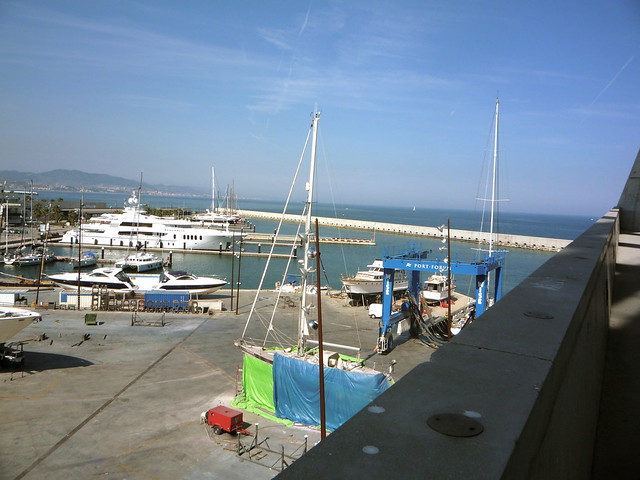
It turns out Barcelona is still pretty much my favourite place on earth. In a break from the usual routine, I was staying in a hotel out close to the festival site, at the far end of the Avinguda Diagonal , rather than an apartment somewhere more central. The facilities nearby are pretty excellent, if a little characterless, with the large modern Mall development el Diagonal Mar providing pretty much every consumer amenity you might need, including free Wi-Fi. It's still easy to reach central Barcelona on transit during the sociable hours of day, and it solves the problems associated with picking a time to leave the Festival, and locating a means of transport home, once you hit the small hours of the morning on the weekdays. Door to door from the festival to my hotel was a leisurely ten minute walk.
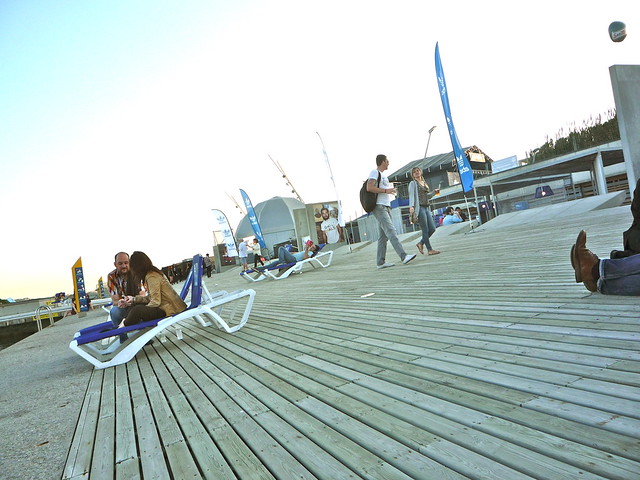
Once again I had a really good time. I had a few reservations heading in. Last year was a bit crowded, and occasionally hard work. Being on my own was is a bit weird. I've done stints working away from home, but they aren't like this. Luckily I did find some people to talk to at Festival; I enjoyed the chance to spend some time with Matt and Anne , and I also bumped into a few friendly groups by chance; Mike and the Canadian islanders, and those nice chaps from Leicester from the Jeff Mangum queue. Hello to any of you who find your way to reading this!
The upside of attending on my own, it meant I was able to watch lots of bands. I overdid things a little on the Thusday, watching upwards of twenty acts in a session stretching from 4pm through to 4am. I subsequently found myself flagging a little through the middle of the session on the Friday, and finally found a happy balance for Saturday. Weather was excellent, probably the hottest Primavera I've attended. I even managed a mild sunburning on the elbows on Thursday, and I rarely sunburn. The VIP passes turned out to be a good bet - subsidised bars, segregated rest and food areas, and easy access to the indoor concert hall for the posh gigs.
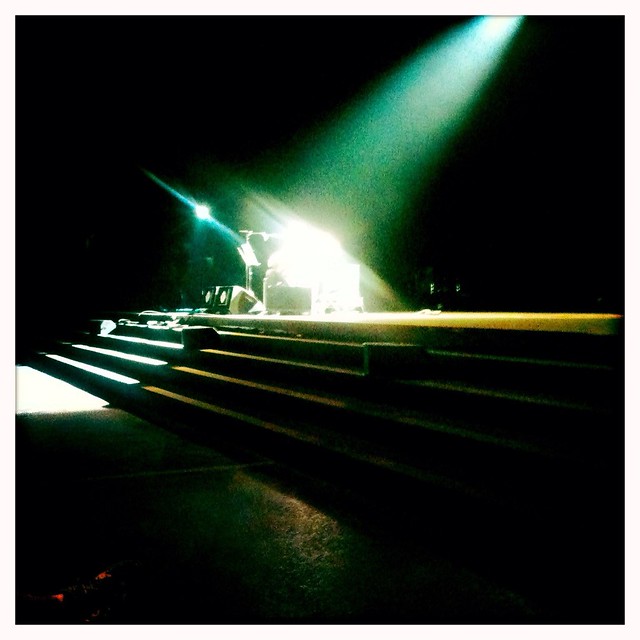
Shellac completely owned it, once again. Year after year, always different, always the same. My other musical highlights were Kleenex Girl Wonder, Spiritualized pulling "Electric Mainline" out of the back catalogue in the middle of a perfect festival setlist, the pro-celebrity karaoke festival of the Big Star's 3rd tribute ( Mike Mills! Norman Blake! Ira and Georgia! Alexis from Hot Chip! ), and I need to pass out a special mention for the marathon Cure set. A bedrock foundation act from my indie disco days, they played a 30-odd song set of old fanservice and hit singles, and I nodded along from the VIP lounge, surprised by how much of it I recognised, given that I own precisely one Cure LP ( Disintegration , naturally ), and one single ( Inbetween Days, I'm predictable like that)
Here's everything I saw, replete with aribitrary ratings :
Baxter Dury ★★ Afghan Whigs ★★ Wilco ★★ Franz Ferdinand ★★ Death Cab For Cutie ★ The xx ★★ Spiritualized ★★ La Estrella De David ★★ Pegasvs ★★ Iceage ★ Grimes ★★ Danny Brown ★ A$AP Rocky ★★ Peter Wolf Crier ★★ Field Music ★★★ Kleenex Girl Wonder ★★★ Dominant Legs ★★ Bombino ★★ Lovely Bad Things ★★ Other Lives ★★ The Cure ★★ Afrocubism ★★ I break horses ★★ Dirty Beaches ★ Sleigh Bells ★★★ Nick Garrie (plays "The Nightmare of J.B. Stanistlas") ★★ Jeff Mangum ★★ Big Star's Third ★★★ Picore ★ Orthodox ★★ Sharon Van Etten ★ Justice (live) ★★★ Beach House ★★ Neon Indian ★ Demdike Stare ★★★ Shellac ★★★ The Pop Group ★ Atlas Sound ★★ Michael Gira ★★ Milagres ★★ Jenn Grant ★★ Cadence Weapon ★★
There weren't too many low-lights. Occasional bar queues. The subsidy at the VIP bars meant that the occasional drink bought outside of those enclosures had a costly sting. A couple of occasions of queuing; to collect the passes, and to get a ticket for, and then gain access to the limited entry Jeff Mangum show. Aggravating cancellations , Björk, Death Grips, Sleep and Melvins - acts I wanted to see, and in the case of Sleep, probably my ideal of the biggest single draw of the festival. Luckily I'm a veteran, pragmatic festival-goer, I don't place too much weight on being able to see individual acts. If I hadn't already seen Sleep at ATP vs Fans:2, I might perhaps think differently.
Leading up to the festival I had been wondering if it was going to be my last year at Primavera. Logistically it's growing more awkward to arrange, I've been a serial attendee for years, and sooner or later the charm should wear off. The inaugural edition of the Portugese sister festival had been catching my eye, And then everything worked it's usual magic. I plan to head back to Barcelona for 2013 if I can. Maybe I'll see you there.
Restore Bounce Mail : Mail.app lost it's "Bounce Message" command in Lion. Restore it via AppleScript.
1950s Huffy Radiobike : All I want for Christmas. Even though I can't ride a bike. Note the tube amp.
Alternative "Heroes" : Reject cover shots, by Masayoshi Sukita, via retronaut .
Whales can adjust their hearing : Russian scientists present evidence that some whales can dynamically recalibrate the responsive range of their sense of hearing.
Compelling case for road pricing : According to a new report by the institute for fiscal studies, the UK requires a radical overhaul of road taxing to sustain revenues.
How to make XCode's UI work for you (maybe) : Wait a minute… XCode 4 has tabs?
 As of 4:29 this morning we have a second daughter! Emergency C-section delivery, but both mother and daughter are stable and doing well. Father inordinately proud. We are thinking of calling her Grace.
I posted about yesterday's post on LinkedIn, because it seemed like a low-key way to get people to consider my CV. Although I'm not exactly job-seeking at the moment, we ARE having a big surprise technology function re-org, and it feels like a great moment to be prepared for a role change. So, if you're reading this and you think - hey that guy sounds like someone I'd like to work with and you're hiring people for something fun, now might be the perfect time to reach out 🙏
Anyway, LinkedIn appears to be having a bit of a cultural resurgance of late, which is interesting. People are using it a lot more like a general purpose social network than ever they used to. I have a few thoughts about why but they can wait for a different blog post. I kind of like it, because I'm always sincerely happy when people make "content" 🤮 rather than just passively consume stuff. A lot of the content is a bit awkward, because there's obviously a motive toward self-promotion, as so much of the LinkedIn audience are job seekers, recruiters and sales people, but still my feed quite often has interesting content popping up. It's kind of 'business instagram'. Instagram but all the influencers are dads, dad-dancing at the school reunion disco. It's honestly not without charm. Not all posts are equally enjoyable though.
AI Hypers! Of course LinkedIn loves AI hype! Now, I'm quite fascinated/entangled/repelled/enchanted with the AI boom myself. We're certainly having an industry moment, and like each crazy boom cycle I've seen in this domain, it's a bundle of awful things mixed in with amazing things, and fun things and tragic things all at the same time. One thing is certain though, there's a lot of AI opinions surfacing on LinkedIn right now. Too much I think. They're a bit repetetive, and I'm not always seeing that much valuable content from them.
Jane Q. Businessguy posts something like this. (Not their real name. I made them up. I made the content up. This is satire. I am British, cynical sarcasm is what we do)
Yesterday I blew my own mind. I was thinking out loud in the bathroom, and minutes later, after a couple of deep inhales, I had implemented one basic Selenium script from a prompt transcribed from a voice note that runs our smoke tests automatically and honestly? We don't need QA teams anymore!!! Think about it: automation = no bugs. It's that simple. The future of software is here and frankly, any company still paying QA professionals is throwing money away. We're living in 2026 but some of you are still hiring like it's 2015. This is the kind of paradigm shift that separates the industry leaders from the dinosaurs. We've moved past the era of "manual testing." Those days are OVER. If your organization hasn't eliminated your entire QA department by Q2, you're already behind. The math is simple:
Automation = efficiency Efficiency = no QA needed QA people = legacy cost
Welcome to the future. You're welcome. Don't @ me if you're not ready to hear hard truths.
#Innovation #Disruption #FutureOfWork #Automation #TechLeadership #HotTake
I'm pleased for Jane, although I'm quite suspicious that something like this ever actually happened.
Wait! It didn't, I made it up! I made Jane up too!
Phew. But what if some of the LinkedIn posts I'm seeing are also... made up. Some of them might even be made up by AI. Could I do something about this?
I could really do with some kind of content filter. It's a shame LinkedIn doesn't allow me to train my own algorithm. Maybe something else could do this though. Maybe this is one of those mythical use cases that are great for AI?
LLMs are really well suited to content classification. I guess if I could find a way to put the LinkedIn content through an LLM and prompt it to identify boring unispired AI cheerleading, I could then reduce the frequency of it. Or maybe just filter it out. I guess I need a semantic ad-blocker. I wonder how hard that could be to build.
Time to talk with Claude. I fire up claude desktop.
How could I build a plugin that filters LinkedIn Posts ? I'd like to use an LLM to build something that removes low quality posts boosting AI or LLM from my feed, ironically
Claude grinds away on this for a few seconds, and pulls out a couple of options. The architecture suggestion is a browser extension. Makes sense. I've built browser extensions before, they're kind of annoying, but the best way to get code control over live browser content. OK Claude, I'm listening..
I scroll past the typescript skeleton code it's printed, unasked for. Another thing I don't want to do is let random LinkedIn content posters burn tokens and the planet for me on some kind of expensive remote AI API. But my (fairly old) desktop machine has a moderately OK recent-ish radeon (AMD Radeon RX 7600 XT iirc). I've used this quite a bit for playing with local models using transformers or llama.cpp or ollama I should be able to do sentiment analysis and tagging on this in something close to real time I reckon.
Ok, I hit the bottom of the claude window and follow up with this
let's do this - generate me a prompt for claude code. An extension - I'd like the UI to just dim post content on a linkedin home page if it strongly matches the criteria - lets use ollama and a small local model like gemma3:12b-it-qat
here's what claude gives me. Let's just pass that into Claude code, see where it goes...
Ok, so I make a bare directory for the project, called 'linkedin-silencer', chdir to it and run claude , which launches vanilla claude code, updated today, no plugins or user config. Let's raw-dog this. I plop the claude generated prompt into the terminal, and sit there for five or six minutes agreeing to everything. When it's done I ask it to git init and commit what it has and then I quit claude code. Let's have a look at what it's generated for me in an editor.
I have an ongoing love/hate affair with the amazing zed editor. Much more on the love side than the hate side. What I particularly like about it is a couple of things
zed really deserves it's own blog post at some time, but once again this is not that blog post.
zed fires up on my project, and I immediately see a bunch of red diagnostics. Oh no, my code is full of bugs I guess. It's not even my code! 😭
Yup, this is still sadly true. This is one of the things I think upsets a lot of people who don't like to engage with them. The magic genie still doesn't perfectly perform the magic trick. I guess it would be cool if you could just say 'hey genie, make a thing that's awesome' and trust that it would just happen, but we're not quite there yet.
To be fair to the robot, I don't write code without bugs myself. Also, it takes me much much longer to write my bugs. And, because I'm a selfish egotistical human programmer, I tend to not believe that I've made any bugs and it's sometimes a bit difficult to get my head into the right mode to debug them, because I can't immediately conceive of how or where they would exist. However, I totally get that from a certain point of view, this is breaking the enjoyment model of programming. Lots of people like writing code. Lots of people hate debugging code. Me too, to a certain extent. So now I have to debug maintainence code written for me by a dumb robot. This seems like a bad trade.
That's not the only way to look at this though. One of my big problems is sustaining the motivation to carry through with ideas some of the time. (I have that kind of brain). Ideas are pretty cheap, but iterating on them and executing them can be quite costly. And I already wrote a bunch about the idea of higher order tools as a way to reduce programming adjacent work . This is key to the appeal boundaries I find with the current generation of assistants. The most useful stuff they offer is a way for me to delegate the really boring bits of work like 'setting up a tsc project' , or 'building a nice looking README.md' , or 'refactor that submodule name'. And they can deliver on some of this, some of it really well. Right now though, we have bugs. Well, at least zed will let me use some more assistants for debugging. Let's see how far this river goes.
Zed gives me the typescript diagnostics on a separate pane. It's not too bad. there's about two dozen errors, most of them type assignment things.
One thing pops out, it's not happy that I'm using 'chrome' apis for things like local storage. Browser extensions are a bit odd. They basically work like a little web service running in your browser. There's roughly 3 bits to it - the content script (the UI stuff for the extension, works a lot like a traditional JS document), the background service (a service worker, a javascript that runs in the background inside your browser session), and the local store (a way to get data persistence for your plugin, it's basically a KV store kind of thing wrapped over SQlite) - I assume the apis for these are something i need to add to my typescript compiler configuration - they're not part of normal JS I guess.
I pop open a zed assistant window, set it to 'ask only' and 'claude sonnet 4.5' and type
@service-worker.ts - why are there so many diagnostic errors about missing 'chrome' - I'm trying to write a browser extension. I suspect I'm missing some node module or type definitions?
The assistant pulls in the diagnostics tab output and says
The issue is that TypeScript doesn't know about the
chromeglobal API. For browser extensions, you need to install the Chrome extension type definitions. Let me check your project setup:
and tells me I can fix it with
npm install --save-dev @types/chrome
this sounds at least 99% right to me, so I do it. Yup, fixed. I commit this change to git.
The next, and only, non-type error is a bit odd 'duplicate function' against a function called classifyPost , which is a function in the service worker that takes in post text and returns the classification - either 'KEEP' or 'FILTER'. I can see that there's also a function with the same name i the content script. I guess that all the functions in the project are getting combined into the single top level namespace. There's no implied scope then. I guess I could fix this by changing one of the function names, probably using 'rename symbol' in the language server. But maybe there's a way to namespace things ?
I bring the assitant back and ask it
there's a name collision because in @service-worker.ts there's a @classifyPost() but there's also a @classifyPost() in the client/side content code. why is this an error , should these be using some kind of namespace mechanism ?
Claude says yeah, these files are getting pulled in as scripts not modules and everything is in the global scope. It suggests that if I simply add empty 'export ' statements to each they'll be loaded as modules. All I can really remember at this moment about ECMAScript modules is that they're a bit weird, relatively recent, and there's a few different ways to provide library scopes, and some back-compatibility quirks. This suggestion sounds about 75% right to me (hell, I'm no JavaScript expert), but the change is so small I figure it's worth it. It works, so much as the errors go away. Ok, makes sense, i don't need to share any symbols. Let's commit this.
The next small tranche of errors are all about assingments, and I can see they're all coming from storage fetches. It looks like claude has implemented a local LRU cache or something, using the aforementioned local store APIs, and it's pulling values out of this in helper functions and not bothering to consider that the key lookups might return nulls. Classic type fun with database nulls! Well, I know enough to fix this, so I just manually add some intermeidate x | undefined types to the fetches, and put if guards around the reads and return paths. Close enough for jazz
The final error flummoxes me a bit. There's a loop around the elements fetched from the page Document , and it's complaining that the ChildElementList type isn't presenting as an iterable. Sounds legit, but also the code looks fine to me. Assitant time again.
can you tell me what's wrong about this loop - it thinks the NodeList isn't iterable @linkedin-filter.ts
The assistant explains that my typescript configuration isn't including the necessary types to make NodeLists fully iterable. I hit a traditional search engine for confimation, and then I add "DOM.Iterable" to the lib: array in compilerOptions . Zero errors.
I pop open zed's integrated terminal and type npm run build. It builds!
I'm feeling a bit cocky so I decide to try the extension in firefox. I load it manually using the dev tools as a local unpacked extension. Firefox refuses, because it says the service worker can't be found in background.scripts . I've seen this bug before though, manifest v3 support is a bit variable between browesers.
I add background.scripts = ["service-worker.js"] to the manifest and rebuild and install.
It loads!!! What have I done?! Look on my works, ye mighty, and despair.
I quickly load my Linkedn Page. It's full of AI hypers though 😢 The extension doesn't work.
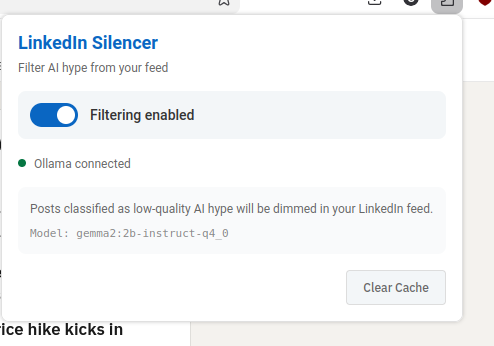
I pull up the extension UI from the toolbar, and it's enabled. But there is a little red error message saying 'ollama not connected'. Oh dear. I check ollama and the server is running. More debug time.
I figure this one out manually using the web dev tools on the service worker inspector, and playing in console. The requests that are being made to ollama are getting 403. Huh. I wasn't expecting that, it's some kind of auth problem. Ugh, I bet it's CORS stuff. That's always tricky with extensions, they're typically requesting from a weird origin.
A bit of searching and a quick chat with claude desktop, and yup, ollama is strict about request origins by default in server mode. I can't blame it. After a bit of fiddling with ollama config, and lots of cursing at systemd overrides. I figure out how to configure Ollama to trust a specific origin (firefox has generated an origin url for the extension automatically, like moz-extension://foadfadfoasdfasldjfadslfja) I can trust this origin really, because its an extension I've installed myself (although I'm not leaving it on like this until I've properly read all the code, i've been running it in the debugger and i can see the requests are pretty straightforward).
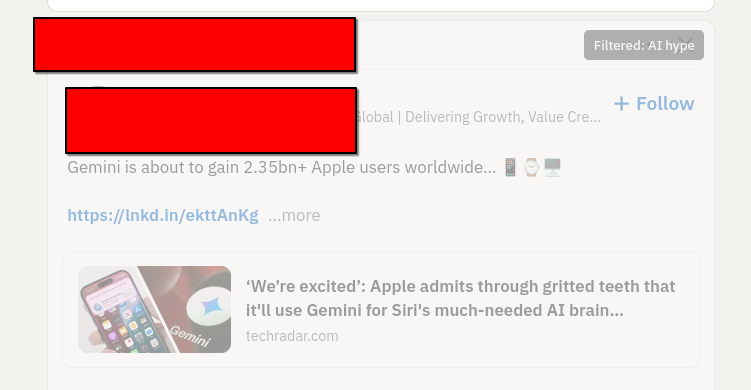
I spend about 35 minutes messing about with systemd and restarting ollama before i get the recipe right (this is actually the longest bit of debugging) , and then all of a sudden, I notice the requests have switched to 200 and I reload linkedin and ... almost every post is dimmed and tagged as AI hype. Hmm. It's sorta working. Looking at the posts though, a lot of them are just a bit hype, rather than AI hype. So I adjust the prompt I'm sending, and everything seems good. I now have a browser extension that tags and dims annoying AI hypefluencer posts.
I've pushed the whole thing to GitHub, if you're interested enough to peruse. I'm sure it still has plenty of errors, but it works well enough for a blog post, and maybe well enough that I'll refine it into something a bit more useful. I haven't even tested it in chrome browsers.
Now the only thing left to do is to write an hyped up linked in post about my little project, and see if it works on my own content!
elfm.el is a rudimentary last.fm radio client implemented within emacs lisp. I wrote this at work to present at our internal "Radio Hackday"; dedicated to encouraging staff to experiment with the radio services and API , and make something with them in a day and a half for show-and-tell. Kind of 20% time distilled right down to an essence.
I wasn't sure if I was going to have enough time to contribute anything, so I wanted to focus on something I could hack on by myself, because I didn't want to hold a team back if I got called away. So I picked something jokey, inessential, yet hopefully thought-provoking, as per my usual idiom.
I had a real blast participating. I don't usually get time to attend things like proper hack days, being all old and family-bound. I really enjoyed the atmosphere of inspiration and industry. All the other hacks were amazing, and waiting for my turn to demo I felt quite embarrassed about my stupid cryptic toy, but it worked perfectly in the spotlight. I got almost all the laughs, and all of the bemusement I was aiming for.
The code is here . It is awful. I haven't written any coherent lisp on this scale for many years. It uses too many global variables and special buffers. It doesn't scrobble. I had to rewrite all my planned asychronous network event machine halfway through implementation, when I re-discovered the lack of lexical closures in elisp. ( I've been reading too many common lisp books in the interim, I suspect ). I think there's enough of the germ of a useful idea in there that I might just clean it up and try and extend it into a proper thing.
I built and run it using GNU Emacs 23.4.1 . I used an external library for HTTP POST , which I found on emacswiki ( HTTP GET I glued together using the built in URL libraries). I've also put a copy of the version I used in the distribution directory. I used mpg123 for mp3 playback, which I installed using Mac Ports . The path to mpg123 is hardcoded in the lisp somewhere, probably inside play-playlist-mpg123.
Here's my demo script, which I evaluated in a scratch buffer. Evaluating these forms in sequence will authorise the application, tune in the radio, and then fetch a playlist of five tracks and start playing them.
;;;; -----DEMO , this example code is out of date, see README
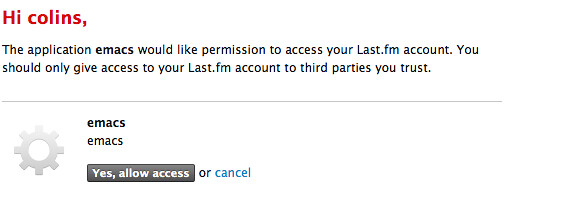
; will open a browser to authorise application
(authenticate-app)
; authenticate a user session
(start-user-session)
; tune the radio to this URL
(radio-tune "lastfm://user/colins/library/")
; refresh the playlist
(get-request (get-playlist-url))
; filter the playlist response to sexps, play the list
(play-playlist-mpg123 (reduce-playlist))
There is only one playback control at the moment; stop, which you can manage by killing the buffer lastfm-radio which has the playback process attached to it. You can retune the radio with any lastfm:// URL format , by re-evaluating radio-tune, and then refreshing and playing the playlist i.e. repeating the last three steps in sequence.
The internal hackday was a cracking idea. Most of the hacks were focused around radio enhancements with broad-ranging appeal, the vast majority of them looked practically useful. I suspect most of the work will filter out into site and product updates. In addition to this, and perhaps more valuably, it worked really well as a community exercise, evolving knowledge-sharing, cross-team working, and enthusiasm, and converting them into inspiration, craft, and art. More of this sort of thing, everywhere!
I've iterated on the original hack quite a lot to make it slightly less brain-damaged, and a bit cleaner to import into anyone else's emacs. Updated code is here and so is a README file with updated running instructions. It's still not really in a usable state for anyone else, but it's amusing me to fiddle with it, and I vaguely plan to get it to a releasable alpha state, at which point I will publish a repository.
Every January I update my CV. Not because my new year's resolution is automatically job-seeking—because experience has shown me you never exactly know when you might need one.
In the tech industry, the great opportunities appear unexpectedly. (And sometimes, so do the redundancies, sadly) Either way, you don't want to be suddenly rebuilding your professional narrative under time pressure, and fighting with aggravating document tools. It's also a useful forcing function for reflection: what did I actually ship last year? What's the thread connecting my work? Who am I exactly in 2026? What do I even do? What am I for? Why am I here? (Help!)
Rebuild it every year then. It's an easy habit I love, and I've tried to pass onto anyone I've ever mentored or managed, but it's undeniably annoying busywork to do sometimes.
Keeping a polished CV that meets my expectations is often grief. And most of the large hard stuff isn't even the content, it's just boring document crap.
Templates make you invisible. If your CV looks like everyone else's, it reads like everyone else's. So don't get sidetracked by an off-the peg template, or layout app. But custom layouts can be really fiddly to maintain. (Ask me about that time I wrote a whole book renderer from scratch)
Two documents in one. A CV is both a timeline (experience) and an argument (the narrative about who you are). Edit one dimension and you often need to adjust the other. It's a constraint system. Meanwhile, asethetics matter! You need to have a nice looking document that will catch someone's eye. It sounds shallow, but you need to appeal to grab attention. First impressions are deep, it's just the way humans work. (It's also the way many robots work).
The two-page constraint. It's a hard rule for me, having spent a long time as a hiring manager, designing hiring pipelines. Nobody wants to spend much more than a few minutes scanning CVs at the earliest stages. Senior roles mean more history, but attention spans don't grow to account for this proportionally. You're constantly trading off: what earns its space? Additions and subtractions mean rewrites, and reflows.
Word processors fight you. Either you accept a simple basic paragraph layout, which puts all the pressure on your sparkling prose and legendary achievements to grab people in the first twenty seconds (no pressure) or you spend half your time wrestling with reflow, column balancing, and spacing. Every edit cascades.
The core issue: content and layout are tangled together. Change a job description, and suddenly your careful two-column balance breaks.
Over the years I've gone through:
MS Word/LibreOffice with a custom template — works until you need to reflow something, then it's an hour of nudging margins and trying to understand headers and anchors again.
Markdown — great for content, and edits, but you lose precise layout control entirely without exact control for element ids and classes to style.
Custom typesetting software fed from a database — yes, obviously I built one; no, I don't recommend it unless you enjoy yak-shaving and are really into typesetting and PDFs. I don't know why I keep ending up writing PDF generators, but it does seems to be a pattern I often fall into 🤔.
Hand-written HTML/CSS with print stylesheets — surprisingly capable, but debugging print rendering across browsers is its own special pain. And tag soup is a nightmare to edit.
Each approach solves one problem while creating others.
For this year's update, I discovered Typst, and I'm a bit in love 😍.
Typst is a modern typesetting language—think LaTeX's goals but with a syntax that doesn't make you want to cry, or immediately switch careers to become a goat-herding shephard or a flat race jockey 🐴. It compiles instantly, has a live-preview online editor, and lets you define reusable components.
What makes it fit particularly for CV workflows:
Separation of content and style. e.g. Define a #jobrole() function once, use it everywhere. Change the formatting in one place, every job entry updates.
REPL-like editing. The live preview on typst.app means you see reflow as you type. No more "save, compile, check, swear, undo."
Proper typographic control. Columns, spacing, fonts, all without fighting a GUI. But also without LaTeX's baroque syntax.
Breakable/unbreakable blocks. Tell it "keep this job entry together" and it just... does. No more role titles orphaned at the bottom of a column.
Version control friendly. It's plain text, so your CV can live in git like any other project. Track changes, branch experiments, diff versions—all the workflows you're used to from code.
CI-ready. Typst has a CLI, which works as a compiler. typst compile mycv.typ takes in a source file and produces a nice PDF. Which I means you can build your CV in a pipeline. Push a change, get a fresh PDF pushed straight to your home page, or emailed to your phone, or whatever.
It probably goes without saying, but Claude/Gemini etc. are all trained in the syntax, and can help you get started or finesse things.
Here's roughly what a job entry looks like in Typst:
#role("Platform.sh", "2018–2024", "Cloud Engineer → VP Tooling & Images")[ Six years from IC to VP. Built custom container images, worked on authentication and WAF, worked on hiring pipelines and engineering career frameworks; created the Engineering Excellence and Tools division. ]
One function call. The #role() definition lives elsewhere and controls all the formatting—fonts, spacing, whether it can break across columns. Change it once, every entry updates. You can have a look at my source code in the GitLab repo I have linked. I'm sure it's very amateurish, it's my first crack at using typst like this, and I've spent less than an hour on it, but quite quickly got close to my existing template with ease.
Compare that to copying and pasting styled paragraphs in Word, or fighting with CSS print margins.
Tools matter. The friction of your tools shapes what you actually do.
Despite my annual rule, updating my CV was annoying and consumed time. I was constantly reworking my approach trying to get it more automated. Now it's almost enjoyable. Maybe I'll start updating it quarterly. It will also free me up to focus much more on the content and the impact, which is really where I actually want to be spending my effort in this task.
If you've been putting off a CV refresh, and you recognize my complaints about tooling, why not give typst a look. I have no affiliations and nobody has paid me to say this! I just found it, tried it and think it's neat.
I was messing around with regular expressions on some default interpreters on my Debian machine, wondering about what the default encoding behaviour for string literals might be. As you do. So, given a string with a "pesky foreign accent" in it, how many characters do various languages think it has?
Unfortunately, this creaky old blog software I hand-cranked cannot render this amount of markdown source blocks (ROFL), and I so I collated a GitHub gist of my findings. Despite all it's many faults, GitHub excels at markdown-serving.
The languages I tested are Perl, Python, PHP, Ruby, Bash, Common Lisp, and JavaScript.
The test ? Does the string café (an English loan word with an accent character ) match the regular expression denoting 'a four character string'
On my computer, with a UTF-8 locale, this string, while clearly four characters long, occupies five bytes . So does the string match four characters or five characters? This is computers, so obviously the answer is it depends.
Maybe you'd like to guess before you go look at the answers?
For the last few weeks I've been utterly immersed in a fairly exlusive relationship with David Bowie. He doesn't know anything about it,unless he makes a habit of checking out people's play counts on last.fm . It's just me and his back catalogue. This relationship is mostly played out in trains. On headphones, music fed from iTunes or Spotify. Complete albums at a time, played through in the correct running order, naturally. As I listen my eyes are glued to an electronic book. A book about David Bowie and the same songs I'm almost obsessively listening to.
It began with the book, or perhaps I mean to say it awoke. A few weeks ago, listening to Word Podcast 188 , I heard about Peter Doggett's latest book . Commissioned as a sequel, or at least inspired by Ian MacDonald's influential song by song Beatles chronology: Revolution In The Head . I thought the idea was sound, if any classic rock canon could bear the load of similar scrutiny, it was probably Bowie. I noted the book on my 'to read' list, and the next time I found myself without an ongoing book, whilst waiting to depart St. Pancras International, having recently ended one book, I bought the Kindle edition, via "Whispernet". I do most of my book reading on trains. I thought it would probably make an interesting read, despite knowing that I didn't really enjoy listening to Bowie's music.
It wasn't always that way. At some level I would still identify myself as a Bowie fan; albeit a heavily lapsed one. We go way back together. His commercial peak as a pop star ( Let's Dance ) neatly coincides with the start of my interest in the pop charts. He still seemed a current, voguish music figure. The promo video was a new central focus of pop culture, and Bowie was of course one of the craftiest, most-prepared of the video pioneers.
Access to archive media was rare then, and fashion was forward-looking; any consciously retro styles were focused on the '50s. I remember a classmate at boarding school, with the archetypal 'older brother with record collection' filling me in on the standard mythology. The multiple identities, snatches of song titles and character names and iconography all seemed unimaginable and distant. Fascinated by the scraps, I used my sense of wonder to fill in the gaps.
I remember the first time I saw a photo of Ziggy Stardust , years later. It was in a newspaper colour supplement. There was a stock photo collage piece on 'The Many Faces of David Bowie'; probably already a cliche even then. Like anyone, I was knocked out just by the look of it. It was preposterous; somehow ridiculous and cool. A vision from the future, even 15 years out of date.
Bowie still pops up throughout the rest of the decade. He's still a face. Movie and soundtrack work. Labyrinth . Absolute Beginners . When the Wind Blows . I watch all of these at home on a VCR.
I pretend to study for 'A' levels, at the local sixth form college. A grim time for chart music, the fag end of the Stock Aitken Waterman years, just running up against the first twinklings of rave culture. There's a jukebox, with actual seven inch singles in. Most of them are by Rick Astley, or Sonia, or Michael Bolton. There's a 'Golden Oldies' section with maybe a dozen records over on the far right side. 'Ziggy Stardust' is one of them. I play it once or twice a day for weeks. After this, a little piece of me is always slightly disappointed each time I play an electric guitar and it doesn't sound very much like Ronson .
Tin Machine are next along, the sheer contrariness of this scheme just delights me; although I never get to hear much of the music, there's a near media embargo on it. As I move through the 90s, with a gradually solidfying income, I fill out my CD collection with all the back catalogue. It gets solidly played until I've commited the bulk of it to heart.
I'm amused by the negative attitude to 'Drum and Bass Bowie' from the inkies, most of these still in thrall to the last few coughs of Britpop. I like the singles more than most others from that year.
Then it's spoiled. Glastonbury 2000 kills it. Against my better judgement, I trek down to the pyramid stage to watch Bowie's headline set. Stadium Rock is not my thing. I stand in the mud for a while, and I try to watch on the giant TV screens on the other side of the crowded field. It's too slick, too caberet, I'm completely disengaged and intensely disappointed. I leave them to it after half a dozen songs. Something feels quite broken. After that, I find it hard to listen to the old records in a more than academic way.
Nonetheless, now I'm reading the book, I put a playlist together that covers all the albums it discusses. I'm mostly reading on the train, and this means I'm mostly listening as I read. It's a peculiarly immersive way to listen to records. I tried it once before, with Scott Tennent's book about Slint's Spiderland . I read that on the Northern Line, with the album on rotation. Eventually it almost felt like I'd been present at those recording sessions.
It leaks into your ears, ambiently informing your reading. Occasionally mid-passage about the invention or arrangement of a song co-incides with the track playing everything pulls into focus across multiple senses. Berlin-period Bowie plays particularly well with rail transport, with it's stations and trains and mechanical sounds. Listening to Heroes, waiting platformside in the raw concrete trenches of Stratford International .
The book itself is a solid read. Bowie remains an unsurprisingly opaque presence, and some of the speculative interpretation on lyrics and motivation feels like a stretch. The musical analysis likewise falls falls a little short of the template established by 'Revolution In The Head', occasionally quite gratingly clunky (a 'sustained fourth' chord?). Luckily the framing works just as well. Imposing a narrative upon the chronological order of recordings creates an appreciation of it as one body of work. Considered so forensically, it's an astonishing thing. Much as with the previous book, what stands out just as markedly as the quality of the songs and recordings, is the rate of progress, and the rate of change. Here's a rough calendar of the recording dates of the albums covered within 'The Man Who Sold The World'.
I still find this list astonishing. Just five years separate the psych-folk/music-hall of Hunky Dory and the ambient alienation and hyper-stylised funk of Low. A further four years between that and the proto-industrial-cum-New Romantic Pop of Scary Monsters. It's a lot of terrain to cover in a decade, banging out over an album a year interspersed with global touring. For the sake of convenience, I have left out the live album releases.
A couple of other interesting points leapt out at me after reading. I realised my instinctive dating of 'Scary Monsters' is mistakenly late. ' Ashes to Ashes ' has been so convincingly retconned as a New Romantic cornerstone, I have been unconsciously sticking it in the middle somewhere around '82-'83 amidst Culture Club and Duran and the Spandaus, and 'Come on Eileen'. The actual recording date puts it barely out of the 1970s, which means that dense, sound bricolage of such modern sounds was hand-stitched in the most analogue ways. Tony Visconti deserves even more of my respect.
The second thing I never before realised, was that the 'Art Bowie' period - the less overtly commercial works spanning from 'Station to Station' to 'Scary Monsters' does rather neatly line up with a management dispute. As I understand it, these records were produced under a settlement that meant a significant portion of royalties were due to a now estranged management organisation. Once this lapsed, he abruptly switched to the ultra-commercial, lucrative career arc prefaced by 'Let's Dance'. Which is of course, where we came in.
A final, unexpected triumph. As a side effect of the book and this entombment in the music. The joy came back. In sounding all the material out new depths, informed by fresh context, and with rested ears refreshed, I've rediscovered my original appreciation for this sequence of records. Pity my poor family.
The only fault I can find with this technique of marrying immersive listening with a scholarly reading is that it is intrinsically retrospective, and perhaps simply nostalgic, and reductive. It obviously requires you find an artist or a work that's had enough time to embed itself in it's surrounding culture, and can never be forward looking.
Best album from the set? I change my mind constantly, but think I most often settle upon 'Low'. There isn't a bad one, although I'll never consider 'Pin Ups' to be essential, and I think I might always find 'Lodger' a little underwhelming. Who's next for the treatment? I'm not sure. I notice there's a book about the rise and fall of Spacemen 3 .
Hackers Documentary : Set around the Hackers Conference of 1984. Contains prototype RMS.
