I have been rather enjoying wearing a mask outside ever since the bad times began. All the way back in Feb or maybe March, I forget which, time seems more broken than usual, I was improvising by looping a scarf several times around my lower face. I own, and enjoy a lot of scarves, and the weather back then was fairly amenable to swaddling one's entire head in designer fabrics.
Subsequently, as we set in for the long haul, my much cleverer partner ordered the whole family some reusable ones, from Deakin and Blue. Easier to fit, and more effective, and I switched over to this. It's swimwear fabric, basically a speedo for your lower face, and I've been lining it with one sheet of kitchen roll, square folded, which is comfortable enough, and gives a few layers of filtering. The mask is reversible, patterned on one side and black on the other, but I always wear the black side out. I think they other side is floral, but I'm not even sure of that.
I realised I find it fun to wear. It feels like wearing a disguise. Another layer of private bubble on the roam, an extra shield to accompany the earbuds. Thinking about it, so many of my childhood heroes were masked. I think I'm quite into masks. We had the lone ranger and Zorro on the telly, alongside Batman and Robin. Robin Hood had a hood, of course. I remember trying to figure out how Spider-Man could even see through his striking mask design, and how I might some day figure out how to make one. Masks are just cool. Under normal circumstances I'd feel a bit weird wearing one everywhere, and I think it would provoke suspicion, but currently I can prowl around looking like a plank, but imagining I'm a badass. It's nice to have found some minor positive thing emerging out of all the drama of pandemic season. I should probably invest in more masks, get some more interesting colour going on.
Something I'm enjoying far less is any tone of dedicated anti-mask rhetoric, examples of which do seem to be floating around my internet. I find it very hard to understand. Not quite as hard to understand as the mobile phone mast burning, but still. Even if you don't find obscuring your face as childishly gleeful as I do, I don't know why you'd want to make a stand about not wearing one. Even if I assume the conversations on social media are distorted, and amplifying extreme minority views, as they usually do, even when I'm out and about I think I'm probably seeing less than 1% of people wearing them, (although I've not counted properly). This seems a shame. Especially given that I'm living in the eighth ranked hotspot on that leaked sheet of areas for concern(!).
It seems pretty obvious to me that even a very imperfect mask will still impart some reduction of transmission, and it's a numbers game we're currently in. The cumulative benefit of lots of small reductions everywhere are still a useful contribution. Most of the rhetoric I've seen in both directions seems more focused on the individual, arguing that they don't filter much out, or it's some kind of curious affront to personal freedom, or urging people to think of campaigning for it like a seat-belt or an airbag for a car. This perspective is almost entirely wrong. A mask is not something to wear for personal protection, it's something small you can do to help everyone else, that is most effective when everyone else is also doing it.
I realise we live firmly in the age of the self, but I do remain confused how a country that passionately adopted the weekly ritual doorstep clap nation-wide, in a matter of weeks, is less keen to rush into this, arguably more useful, performance piece. I wonder what the missing mechanism is, if it's messaging, or psychology, or something more profound and deeply entrenched.
Still, I have my fun, and don't really plan to stop any time soon. I have been wondering about getting some sequins in, or if I could get some custom patterns ordered. I guess if this all goes on long enough we'll see redbubble and stickermule and the others adding masks to their standard merch templates.
You wait six months for a blog post and then I suddenly update all the things at once. Here we are. Site redesign. New Server. New software release. Lets tackle those in order
Redesign
I launched this version of my blog originally as 'in-progress' software before it was quite ready, after spending a few years faffing around with experiments intended to replace WordPress. One day I had something I wanted to publish, and WordPress was broken, and the thing was nearly working so I hit go. It wasn't feature complete, and there was completely minimal styling, but I thought it looked OK enough, until a friend pointed out it looked completely insane on a mobile. I felt pretty embarrassed, so I quickly cobbled together a mobile-first grid-oriented thing using zurb foundation 5 as a framework, because that was what we were using at work at the time, and it seemed like an excuse to learn a bit about how it worked. I subsequently reworked it to use foundation 6 with a slightly styled theme based on my old WordPress colours and there we are. Of late, the amount of gubbins needed to support the foundation classes has been a bit of an encumbrance, and so I decided to do away with it. This time I just hand-wrote the styles again, I think CSS has moved on a bit and hope browsers are generally a bit better behaved. Seeing as we were doing this, I did a new theme, it's based on my emacs colours. I don't care that you hate it, no.
New Server
I'm sure you all heard, ARM hardware is the new hotness now. As a natural contrarian, I was already hosting my site on an ARM server and so it's clearly time for me to move to AMD64. Not quite. For years I've been having fun hosting this place on one of scaleway's ARM C1 instances, which appealed to my quirky taste in alternative computers, as well as being super-cheap, and in many ways, offering far better raw performance than a VPS or a cheap cloud instance. Seriously. I was running about twelve services per instance, and my own hand-written site software, and performance was more than acceptable. I even hit the front page of the reddits and the orangenews a couple of times with my tech dithering, and soaked up big blog traffic spikes, no sweat. However, scaleway haven't offered any useful updates to their core platform since they experimented with, and withdrew a 64 bit ARM beta, and now seem to be moving more towards a VPS/Intel vision, and it was really becoming a bit limiting to be stuck on Debian 9 and 32 bit. So I moved house, installed some containers on an existing server I had sitting around and now we're live, in Belgium .
New software release
This is a little bit tied in with the last item there. The site engine here is written in common lisp, and for the longest time I just had it running out of an interactive repl attached to an emacs. Yes, including the #1 NackerYews story days. I moved it to a systemd service, for process supervision, and proper logging and things like that, and I wanted to get some kind of release management regime in place. So I had a fun time figuring out good ways to build standalone lisp apps, and how to package them up for Debian, and now I kind of have tagged release builds. I'm also running in my own cowboy cloud, sticker-ed together out of LXC, so the blog now can be deployed as a clean, ephemeral contained service any time I want to do a release. Particularly this part of things was becoming quite the aggravation, cross-building for ARM32 isn't really trivially feasible with common lisp, and although I had a lot of fun for a bit building debs on a raspberry Pi tucked under my desk, I eventually ran out of patience trying to keep ABI back-compatibility with older Debians.
Devops
My process probably seems a little bit archaic and convoluted to anyone used to thinking about this kind of thing in a modern context. It is true that there are lots of simpler abstractions and services for doing this kind of thing these days. Perhaps less intuitively, doing things the bale-of-twine and pencil sketch cowboy manner I've pitched for is also crazy easy compared to what I remember hand wrangling sites of old used to be. LXC is fairly straightforward to install on Debian stable OOTB. (unprivileged mode is still a bit of twerking, but if you follow the recipe exactly, straightforward enough). Debhelper vastly simplifies deb building (although I'll concede you do still have to do way too much) and gpb is simpler yet in some ways. Quicklisp, buildapp and quickproject make lisp dependencies and builds almost pleasurable. Cloudflare and certbot wildcards make swapping hosts around with full TLS almost disconcertingly straightforward compared to what I've been accustomed to in the past.
Of course this is still a rolling set of dependencies which may appear complex or unfamiliar, but in a lot of ways there's also a whole lot of faff and bookeeping overhead removed, no accounts or APIs, third-party apps and frameworks to keep up-to-date. Most of this task list was concerned with a full bootstrap from a naked host. For ongoing support I just have to compile debs using standard make, launch empty containers with standard templates, and write posts and maintain code with a straightforward text editor. And there's complete autonomy of hosting and running, I'm not really locked into anything, which is exactly where I prefer to keep things. The modern-day indieweb refuses to die!
2026 is the year of Linux (in Linux (in Windows)) on the desktop
I'm not a very Windows-focused computer user. In fact I think the last era I used it really extensively, with any expertise, was in the 16-bit era of Windows 3.1 - 3.11. I quite liked those versions, which operated somewhat more like an integrated interface SDK for MS-DOS than an independent operating system. As the commercial internet boom took hold, and work became focused almost entirely on building web applications targetting UNIX-like deployment environments, (typically linux), I shifted over to working natively in that environment, and never looked back. So, I don't really know how to use modern Windows at all comfortably, and I don't have any personal ease when working with it's native interface.
How I typically organise my development environments
Normal development tooling for me is a simple GUI windowing environment, running on Debian linux. I (still) use GNU emacs or increasingly zed for almost everything that isn't in a web browser, alongside a handful of running terminals, an email client, and some kind of file browser, and music player and that's about it. My development projects I tend to isolate into containers, using lxc/lxd and more lately, incus, to give me "lightweight" virtual hosts nested on my computer, connected with a virtual ethernet LAN. It effectively is a local 'cloud', offering dependency and process isolation for your work, and powerful features like snapshot/checkpointing, image templating. What I particularly like about the incus approach, compared say to other container systems, like docker, is the abstraction is well suited to longer-lived, stateful development systems - you partition one linux system into a few dozen smaller more specialised linux systems with the state hidden from each other. The unit of containment is 'operating system'. Whereas with docker-like containment, I think the unit of abstraction is something more like 'one process, with all of it's dependencies bundled', which makes more sense to me for one-shot tasks, or often as a deployment target.
Previously
Back in the 90s(!), when computers were a lot less powerful than they are today, I commonly used to use emacs 'tramp' or Ange-FTP modes, to develop remotely on a development or staging server, from a thinner client. Now I use the same approach, and the same tools, to develop on my container environments, effectively treating them like a 'remote' host, even though they're only conceptually remote. Tramp, just like most of emacs, is a kludgey wonder - it encodes the information about remote endpoints using pseudo-paths, like /ssh:user@host:/path/to/something , and emacs just works out how to edit your files. Under the hood, it strings together a glue of subprocesses and temporary file copies and the like, to take your editing and reflect it on the remote environment. And not just files. This is emacs! Almost everything in emacs works tramp-aware, so you can browse the remote filesystem using dired - launch processes for compilation or linting, use git workspaces with magit-mode, run interactive shells and debuggers, build and run your projects, it has extremely high levels of DWIM. The main price you pay is occasional latency, as things shuttle back and forth, or buffer in and out of pipes, but I’m very used to this. And compared with the days when I used to use tramp to work over dialup(!) links to servers, this modern container approach is practically turbo-charged. Eat my dust!
Zed simililarly offers remote editing using ssh connections, with a slightly different architecture. The zed remote feature is a little more modern, like VSCode - it downloads a headless install of the editor on the remote after you ssh to it, and then proxies to that backend using it's own protocols over ssh. The net effect is the same though, you work on your local keyboard screen and mouse, but your working environment is in the remote hosts. An advantage zed offers over tramp's elegant hackaround is that the latency is considerably reduced, it's not copying files backward and forwards and slowly lauching tasks in shells. A disadvantage zed offers, is that it's not emacs and it's tooling for lots of things (like git, or file browsing) are not as advanced or comprehensively scriptable. It's not uncommon for me to have both zed and emacs buffers attached to the same remote development context.
So, that's what development tends to look like to me. One or two graphical editors, on my main desktop. Many persistant projects mapped to running containers (and maybe remote hosts), with various different projects open in them for work. I get a persisting, consistent user interface over diverse projects, all of them in a full linux environment, each completely isolated from the others, but networked.
Windows re-enters the conversation
In my current job, we're using Windows, and the whole Microsoft business stack, and we have a IT managed network. It's a bit of a change from what I'm used to. But, unlike a lot of software developers, I've found that I like change! (Often, you learn stuff. So what have I learned?)
I've been issued with a pretty nice Microsoft Surface branded laptop. The hardware, at least, is nice (and higher spec than any of my own current computers). The software is, of course, Windows, which I remain suspicious of using. The surface runs it like a champ, of course.
Interestingly enough, modern Windows understands that the majority of software deployment is now to linux, or linux-like environments, and the developer tools include an integrated linux-based toolchain. It's called 'Windows subsystem for Linux' and it's on it's second major version - WSL-2. WSL-2 basically integrates a virtualized linux kernel running inside the windows enviroment, which can be used much as I've described my container approach above - you have a virtual linux host, with it's own filesystem and processes, and a convenient interface between this and the host system.
You can run your graphical applications, and even your IDE (Visual Studio Code, presumably :-)) , and browser (Edge, your AI-powered browser!) in your graphical desktop, and have a local 'server' for developoment. WSL integrates with Docker Desktop for Windows, allowing your docker containers to run natively in the linux environment, and you can even install and run multiple instances of WSL containers to have different isolated linux 'back-ends'. It's a compelling work narrative, but it is founded on the idea that your goal state is using Windows for all your user-facing software and interface. Howerver -- What if you don't want to?
It's a UNIX system, I know this!
Because the WSL environment is an optimised full linux VM, it seemed to me that I might even be able to treat the WSL environment like a remote linux system, and move my existing workflow over - use a linux desktop to remotely access a local linux "server", that just happens to be Windows, and run development inside there using my typical approach of multiple contexts isolated into separate system containers. That's more like my idea of best of both worlds - my work computer can be a locked down managed enterprise client, I can get good use from the fancy hardware, but still maintain the toolchains and client interfaces I'm most comfortable using. Assuming, of course, that I could get it all to work...
Well, it took a bit of fiddling, but I'm here to say it works, well! my Windows Laptop runs on my desk, my software projects run on it inside incus containers, and I access them from emacs or zed or terminal windows, on my ancient creaking linux desktop system. I can easily run as many of these containers as I can fit into my 24GB of WSL (actually quite a lot of headless containers, in my experience) - voila! My Windows laptop is now a cloud host provider!
Here's a detailed walkthrough of how I set it all up. Please note that you will need a local Windows admin account to make some of the necessary configuration changes to the Windows side of things, but aside from a couple of privileged config changes, all of this can be then run as a non-administrator user account, which is another great benefit.
(Because I set this up originally a year ago, my instructions are written from before Debian 13 was promoted to stable, which is why you'll see me using 'Bookworm' in a few places.)
The setup
First: Setup WSL
Firstly, you need to install a WSL2 environment. I picked Debian (which is supported), and I initialised this. I then system upgraded the Debian installation from bookworm (12/old-stable) to trixie (13/testing) using apt, because incus is packaged as part of trixie. I was then able to install incus using apt, and follow the incus initialisation and setup instructions from the project configuration page. I quickly launched a couple of bare bones containers to check that things were working as expected.
Inside your WSL shell, assuming your user account is in the incus and incus-admin groups (check this with the id command), you should just be able to run incus launch images:debian/12 - this should download a base debian image, and launch it with a generated container name.
You can see it running with incus list , and launch a shell within it with incus shell <container-name> - Please read the lovely docs for more such hints, this post is not intended to be an incus user guide ;-)
The next thing I did was add some additional WSL configuration by creating a .wslconfig file in my User home directory on Windows - this is a plain text ini file. I was pleased to find that Notepad.exe still exists in 2024, and can be used to create this file :-)
this is relatively self-explanatory - I'm giving most of my 32GB of RAM to the linux VM (because i'm not really using the windows side), I'm enabling nestedVirtualization, although I don't think this is a prequisite for running incus containers, it sounds like something I'll probably use at some point. Finally, and most importantly for this case, I'm setting the networkingMode up to use 'mirrored' networking mode - this replicates the windows networking devices and configuration inside the linux VM, meaning we can connect directly to the linux system from the network, without having to set up port forwarding or anything like this.
Once you've created the file you need to restart WSL in order for it to take effect. The easiest way to check if it's working is to look at your available system RAM in linux using free - it have changed to be 24GB. The next stage is to setup windows to allow client connections from the LAN.
Windows Networking
We also want to be able to connect to our virtual linux box conveniently from the LAN. This requires a few things. Firstly, we need a stable network address or name. Secondly, we need to allow incoming network connections. This part requires enough Admin privileges on the Windows host to change networking settings.
I redefined the network adapter settings in Windows to use a static IP for this LAN, and added a DNS name for it in my local resolver. I set this network configuration up as a 'Private' network profile. The next step is then to configure the Hyper-V firewall on windows to allow incoming connections to pass to the VM. Running a powershell window as admin, I added firewall rules to allow this for the private network profile. In this way, I can ensure that the host is only accesible like this on trusted networks.
The WSL vm has a fixed identity string (the VMCreatorId) , a GUID, which is 40E0AC32-46A5-438A-A0B2-2B479E8F2E90, so the command you need is something like
Now incoming connections on the windows IP interface will be receivable in the WSL VM. Enable sshd on the WSL environment, and then check that you can ssh to the network address. You should get a login inside the WSL environment. If you run incus list here, you should see any running incus instances.
Bonus networking: Setup ssh proxying, and multiplexing
You can now access incus containers on the WSL instance from a remote emacs, if you use the incus-tramp method, and tramp pipelining. Access a path like /ssh:[email protected]|incus:me@container-name:/path/to/project in emacs and everything should be there. Relying on additional tramp stages for proxy chaining, although it's a very neat trick, can bring problems with performance, and reliability, and it is more simple to push the extra hops into the ssh layer.
This involves a bit of glue code, which looks hideous, but works very well.
The ssh glue
Setup 'Control Master' for ssh, which allows repeated ssh connections to the same host to re-use an established ssh session. This will speed up the time taken to open new sessions, and noticeably improve the responsiveness of tramp for ssh remotes. Secondarily, use a ProxyCommand directive to connect a single ssh connection to a proxy session. Finally, you can use wildcard rules with a host suffix matching a certain host pattern straight through into an incus container on a specific host. Here's the relevant entries from my ~/.ssh/config
In ssh configuration files, the first applicable setting is the one that will be used, so we should order the file from most specific towards most general.
Here, we're using a fake 'domain' of .wsl, and then converting the command to an ssh to the windows host, that immediately launches incus, getting the container name by chopping off the '.wsl' from the provided hostname and running 'netcat' in the container to proxy our ssh session to the ssh server inside the container. With this little piece of ugly glue, we can run ssh container-name.wsl and immediately get an ssh session directly into the running container called container-name
The control master block ensures that we re-use an established ssh control session for all connections to the same host, and persist it for 10minutes after the last connection exits, to improve reconnection times.
With this piece in place, we can access files, shells, and processes from emacs buffers, using a tramp path of /ssh:my-container.wsl:/path/to/project - or laucnch a zed session in a remote project directory, using their ssh 'remote project' feature.
Surviving restarts
The main, and perhaps the only real downside of this approach is that Windows likes to restart, often. Usually in batches once or twice a week. This is a combination of updates from remote IT and Microsoft I suppose. Rather than get too aggravated about it, I prefer to think of it as a free chaos monkey.
I can alleviate most of the pain points by making everything as restart-able as possible. WSL can be set to start as soon as you login by tweaking a few settings in the cmd.exe application
set the default shell to be Debian to match my WSL container session
set cmd to start on login
This means that after a boot all I have to do is login to resume the WSL state
The incus container can be set to automatically start at boot with incus config
I have assigned both the incus container and the windows machine static IPs on my LAN, so they reboot with a stable address.
In WSL I have caddy set to reverse proxy from Debian to the incus address, and this is configured in /etc/caddy and run from a systemd unit, to restart on boot
The local "staging" version of any webservices I am working with I typically run in Docker , inside the inucs container (as my user account) - i usually write a shell script to launch docker with the right port forwarding and data persistence flags for whatever I want to be running (for more complex setups this could be a docker compose configuration) - I simply put this shell script into my user crontab, using the magic @reboot trigger directive to launch this script after multi-user init, as me, with just a one-liner.
with these configurations in place, all I need do is login to Windows (with my face 😘) to resume running services where I left them.
For the past year and a bit, I've been relying on a one-user GoTosocial server for my fediverse participation. Fediverse is the 'well, actually' technically correct name for the social network protocols that power an overlapping set of free, distributed social networks that a lot of people just call 'Mastodon'. Mastodon is the largest and most popular server software used in this network, and got a significant bump in popularity when that crazy space junkie guy started hacking on twitter.
Monoliths vs Microliths
Mastodon is a large Ruby on Rails project, with the typical kind of architecture you might expect from a classic LAMP-adjacent dynamic web thing that's used in production to run instances with thousands and thousands of active posting user accounts, and a hefty server footprint.
Gotosocial is a fediverse server that specifically targets a lower footprint installation. It's written in Go, which while not being the kewlest platform to build a modern web server application in, is to my eyes, a pleasingly pragmatic choice. (Something I often like to say is 'Go is actually kind of a DSL for building small network servers in'). It also targets full mastodon compatibility, so it's a drop in replacement for a mastondon account, and much simpler to run if you were interested in having your own fediverse service.
WASM-azing!
Whilst Gotosocial has a modest footprint, and a few moving parts, it's not without some interesting technical architectural decisions. In one of its simpler installable forms, rather than use an external relational database like PostgreSQL, it just uses good old SQLite3 😍 - and rather than pay the CGO / boundary penalties for linking directly into SQLite as a shared library, it can actually run SQLite as a contained WASM process inside the go application, using the Wazero runtime
I adore everything about this approach, it's exactly the kind of mad science I'd try to get a simpler working service. End result is you have a single static binary that you can run and install, and it manages its own fully compatible SQlite3 database store in-process, without any install-or-link-time dependencies.
So it's super simple to install for me on linux, I simply need to unpack a binary linux release tarball and then launch the newer binary with the old database file. Gotosocial applies database migrations on startup.
Official upgrade procedure
Here's their offical upgrade instructions taken from codeberg for the binary release
Stop GoToSocial
Back up your database! If you're running on SQLite, this is as simple as copying your sqlite.db file, eg., cp sqlite.db sqlite.db.backup
Download and untar the new release, including the web assets and templates, not just the binary
Edit your config.yaml file as necessary (see the release notes)
Start GoToSocial
Wait for migrations to run.
It's about as simple as a manual upgrade can be.
My Tweaked upgrade procedure.
Well, aside from scripting it, I think there's one small improvement that can be made. So far as I know, GoToSocial doesn't (yet?) run auto vacuum on its SQlite database. VACUUM on SQLite is a necessary maintenance procedure that's used to refresh, compact and optimize the database backing store after it's been amended in use for some time. You can think of it a bit like a 'defrag' or a 'garbage collecter' for your database.
Without auto-vacuum, vacuum is necessarily a blocking operation, you will block all other database changes until the vacuum is done. As such it's ideal for downtime. So vacuuming your GoToSocial database when you upgrade is a good idea, although it does extend your service downtime by a couple of minutes.
So, as well as copy your database to a backup, I suggest you also connect to it, with the sqlite3 command and run a complete VACUUM. But wait, we can be even cleverer.
VACUUM INTO
Vacuum already makes a complete copy of the database. Go back and read the VACUUM documentation I linked above. You might also notice that SQLite VACUUM supports a 'VACUUM INTO' form, which materializes this vacuum copy information into a fresh database file.
so my amended system upgrade is like this, pretending for the sake of example that it's a manual process.
chdir to my gotosocial directory /gotosocial
download the new tarball release
stop gotosocial with systemctl stop gotosocial
rename the old gotosocial binary to a versioned backup
untar the new release and assets into the directory
renamegotosocial.sqlite to a versioned backup name e.g. gotosocial.backup.sqlite
connect to the newly renamed sqlite database with the sqlite3 ./gotosocial.backup.sqlite command
run VACUUM INTO 'gotosocial.sqlite' (i.e. re-creating an optimised gotosocial database)
start gotosocial again systemctl start gotosocial
watch the migrations and startup with journalctl -f -u gotosocial
I can remember fairly clearly the first time I seriously tried to calculate the future . I was maybe ten years old, lying in bed and re-reading an issue of 2000 AD, and for the first time, I was puzzling over the idea that that title, intentionally and inherently futuristic, represented a real calendar date that would one day arrive, and somehow, calamitously render the name obsolete. I tried to figure out how old I would have to be by the time we reached this epoch, but as I recall, it was beyond my reckoning. It didn’t seem that likely I would live long enough for vengeful androids and routine interstellar travel, and yet even from 1977, the year 2000 seemed countable. And here I am, now, in 2020, A number that looks so impossibly, so implausibly of, from, and for the future my brain isnt really comfortable holding on to it. But first we must put away 2019. Here's my 2019 roundup, in something like 20 paragraphs.
I rejoined social media:
2018 I had a year off Twitter, feeling a bit exhausted by it all. It didn't really seem to make much difference. Now the Internet seemed to have invaded, occupied and consumed everything. Surveillance capitalism now so entrenched it was to be a regular part of mainstream think piece commentary. Network effects being what they are, It’s deluded and futile to make even token efforts to keep beyond these tracking networks, the reach is now such that secondary and tertiary associations will just link around you and pull you in anyway. So I bounced back onto Twitter, signed up for Instagram, and even rejoined Facebook-and rectivated Foursquare. I’m not particularly excited by any of them. At best, they represent a low friction way of posting light life updates, and it's nice to get reciprocal insights back about people I know, but don't see regularly. (And now I don't really see anyone regularly, so that’s a thing) It's fine, but we can do better. Ironically 2019 feels like the year everyone started to gently pull back from all this online sharing stuff. Ho hum.
Gene Wolfe died
Boo. Probably my favourite author, genre or otherwise. Age 87, which is by any account a splendid innings. A couple of personal resonances last year. I finally finished reading the “solar cycle”, which contains some of my most loved books. I started when I was fifteen, and I was just starting into the final volume when he died. And then the Folio Society issued a fairly exquisite luxury edition of his masterpiece, "The Book of the New Sun", signed, numbered and limited to 750 pieces, and which I somehow managed to discover and purchase before they sold out. I felt pretty decadent, and guilty about spending hundreds of pounds on a fancy copy of a book I already owned, but within weeks people were listing them on eBay for thousands, so maybe it was a wise investment? Anyway, Wolfe is amazing, and-if you havent read him, why not try? Start with the Fifth Head of Cerberus, I would.
A Haircut:
by the end of the year, I was bored of the hair, so it's all off again. I suspect the next time it grows back in may well be all white.
An ASD diagnosis:
No not me. We've basically known about it for a long time ourselves, and painfully been pursuing a diagnosis through the systems for literally years, but late in the year we obtained a professional diagnosis of ASD for number one child. Shock, relief, and lots to process for everybody, but a powerful sense of progress in a way that feels constructive and enabling, not reductive and labelling.
Weddings x2:
Here's a surprise ageing effect. Having got past "peer group wedding” season, and assuming weddings were all done I seem to have hit "generation below hits wedding season" season, and now weddings are a thing again. That's cool, I like weddings. This summer was two, both fancy AF. One in a cathedral, one in Cyprus. The latter was an Orthodox church service, which was quite unlike anything else I have previously experienced. Weddings are a pretty big deal in Cyprus.
Castles:
Throughout 2019 we held a family membership to English Heritage, and as a result spent a few weekends wading around ancient English castles. There are quite a few spectacular examples In this part of the county, closest to the mainland (we can see France very with the naked eye most days). Dover is particularly astonishing. Pretty middle-aged, I guess. National Trust next?
Photography:
I've been getting gently back into using actual cameras for photography. Maybe inspired by instagram? Possibly just because my predilection for "alternative" smartphone operating systems lumbers me with dreadful quality camera software? Regardless, I have been having fun shooting things with real glass - on my much loved power shot GX9-2, which sadly caught some water damage on a recent trip to Malta and is still drying out four months later - but this gave me an excuse to upgrade it to a slightly larger slightly more posh Canon M100, which is more cumbersome and not quite as fun to use, but easily compensates for that in image quality and lower light performance. I don't even muck about with much manual selection, mostly plain automatic shooting, but I really enjoy something about the deliberation, and the ceremony, and having to actively curate, triage and extract the images off the camera in order to use them for anything. Mindfulness? Contrarianism? Whatever, Fun.
Still in Folkestone:
Yup. After quitting London to work remotely, we sold the big house, and shifted even further south to Folkestone, where I remain, the most mundane kind of digital nomad imaginable. I like it a lot. I was born by the sea, I grew up by, in and on the sea, and now, once again, I walk, with god, alongside the actual sea, most days. I've even gone in it to swim. Folkestone is my kind of town really - collapsing Victorian splendour, a harbour, vague touches of bohemia, light gentrification, that isn't trying too hard, and you can clearly see France most days, without effort, and that is something I will never not find mind-bendingly magical.. It does rain a bit too much, mind you.
Dental surgery:
2019 Was the year I finally gave up pretending I could largely ignore the pitifully untended state of my teeth. Actually, it was the teeth that made the decision for themselves. I have a pretty strong dental phobia (Maltese dentistry in the 1970's was not great), but by the middle of the year something was painfully not right in an area that had been slightly bothersome for years, and pain was escalating alarmingly. I still couldn't manage the appointment making myself, so thanks to my lovely wife, I ended up enrolled with a local private practice, and with a fairly gruesome diagnosis : -an impacted wisdom tooth had grown down into my jaw and accessed, destroying two molars, and threatening jaw damage. Surgical intervention was required, and due to my panic-stricken inability to co-operate, it was to be done under a still fairly Terrifyingly named process of "conscious sedation". That meant a referral, three months of waiting for a slot at a specialist clinic, and an almost constant diet of pain-killers in the interim (as well as two very uncomfortable, and strictly speaking forbidden, international flights) but eventually I got through it. The conscious sedative was one of the most surprising experiences I have ever had. Strapped into a chair in a small theatre, and attached to a drip, I remember a brief chat about consent, and then the next thing I remember I was in the passenger seat of the car on the way home, a mouth full of wadding, having entirely lost a couple of hours and a couple of teeth! I am left wondering if I was out for the operation, or if I have simply retained no memory of it, and what precisely is the dittoed between those two anyway? I find the very existence of this kind of instant blackout drugs and astonishing and implausible marvel. If It were a plot device in a fiction, I'd have scoffed at how completely unrealistic it was. So now I have a dentist, a treatment plan, no headaches, and two Fewer teeth. Lots more work needed, but it feels achievable. And I’ve experienced time-travel.
Common Lisp@work:
Love this one. My day job is still working at platform.sh, where we have a home grown container runtime that powers our "cloud" project. Cloud engineering is my team, and literally my first act in the job was to port one of my existing lisp web apps to the runtime as an experiment. Well, it turns out our VP of engineering is also a lisper, and we have ended up extending these experiments to building a couple of internal tools in SBCL, which are of course hosted on the platform. These proved useful enough to keep, and at that point, it started to make sense to productionize the lisp containers, so we can have a first class and maintainable build, rather than shoehorn a lisp install into a capable enough container. At which point there was no reason to not make this publicly available for customer projects, which we announced with a blog post, which was well recieved on the social platforms. I only had a tiny part in all of the above processes, but it is still one of the coolest things I have ever been involved with at work and remains a woeful reminder that I have a pretty cool job and work with a great team.
A-Rank in Splatoon!:
I adore Splatoon, Nintendo’s gloriously styled paint-em-up, online FPS. I’ve been playing it quite regularly since launch on the Wii U, and through into it's subsequent re-packaging as Splatoon 2 on the Switch. I love everything about the game, from the mechanics, which are well-considered and balanced, all the way through to the world-building and the whole skate-tween-punk cartoon fish aesthetic. I mostly play ranked, and although I wouldn't claim to be particularly good, 2019 was the year I finally sneaked A rank after years of trying. And not just once, but in a couple of categories (zones, tower, and rainmaker) Yes I realize this is because fewer people are still playing. What of it. I have a badge.
TV:
I watch a lot of TV. and I'm not ashamed of it. I know we're living through peak TV, but for me 2019 was a less than stellar year. Plenty of things, I probably should like, I just didn't. I dont have much appetite for "The Apprentice" anymore, although it can still deliver hilariously awful situations from its contrived casting. “Fleabag” annoyed me almost as much as it charmed. Star Trek regularly sent me to sleep (love the art direction still). The concluding series or Mr Robot was great, I've thoroughly enjoyed that whole run, but it was time to sign off. "Homecoming" wasn't quite so great, but it worked. I think my favorite show from last year would have to be discovering “Crazy Ex-Girlfriend” on Netflix (awful title. do try to get past the title) - Super-smart, subversive , unpredictable, bingeable, engaging, and great music. I was already a huge Adam Schlesinger fan, and now I guess I'm a Rachel Bloom fan too. So many earworms. Bring back old Greg!
Books:
I suck at reading, these days I know it's a common modern Iffliction. I have been trying to make an effort. I finished the Gene Wolfe Solar books, as I mentioned earlier, but otherwise 2019 was not so great. According to my Goodreads account (doesn't capture everything but it's fairly accurate) , I only managed nineteen books, some of which I can't even remember reading. Aside from Wolfe, I think my high points would have to be "The Peripheral" and "Ingenious Pain" . 2020 we have a sequel to "The Peripheral" due, as well as the final installment of Hilary Mantel's Cromwell books and I'm going to do better. Im trying to do ten minutes entirely focused reading a day this year. Going well so far (2 books finished already)
Movies:
I'm still struggling here as well, although we do a weekly family movie night, I still rarely get to the cinema. I did make it to see “Rise of Skywalker" and this I did manage to see every Star Wars movie on initial cinema release. I'm afraid the most enthusiasm I can find about that is that I’m glad it's done. Similarly, on the other franchise I finally got up to date with Marvel by reaching “Avengers: Endgame" on streaming, and I'm mostly happy to be able to say “OK, this can stop”. The kids got into Harry Potter, having reached that sort of age, and so I also belatedly got to the end of those, and my goodness they're bad. Things, I actively liked- “Lady Bird”, Netflix's "Annihilation" was superb, and my favourite was probably "Sword of Trust". And on Xmas Eve I decided to watch an ancient favourite, "Lair of the White Worm" which I enjoyed revisiting so much, I may make it into a Xmas tradition from now on. Ken Russell(I) is my man.
A New kitchen:
Our kitchen seemed to be in relatively good shape when we bought the house, but it had a conservatory attached to where the back door ought to be, which although it made for a lovely sense of light and space was punishingly cold in the winter. So we decided to get a glazed back door fitted between. And then we found rotting wallpaper trapped behind the kitchen units over damp plaster, and decided to get a nicer fitted kitchen while addressing that. And then we discovered a water leak running down the back wall. And then a cascade of horrors, including a lintel-free window, a removed chimney being held up by what looked like a nail through an old chair leg, three layers of wall cladding, and perhaps most excitingly, several rotten joists not doing the greatest job of keeping the upstairs upstairs. Cue months of no kitchen, stripping everything back to brick, jacking up the roof, replacing beams, dry lining everything. and then potting in a kitchen back on top. And now we have a back door. And quite a nice kitchen. And far less money.
Malta & Cyprus:
Two Foreign holidays? I already mentioned my friend's magical destination wedding earlier, but by way of attending we got to spend almost a Week, without children, (thanks, Grandma!) in a pretty swanky hotel in Limassol. Cyprus is hot in the summer, and I say that as someone quite used to heat. So I ended up doing something I have never done before, and just hung out poolside, reading, and swimming and being waited on. And that was just great. And Despo came by to visit, which was a lovely coincidence. Then, a couple of months later we all went to hang out in another resort hotel, but this time in Qawra , in a Family oriented holiday complex. That's the first time we've done significant overseas travel as a family, also the first time I've been back in Malta in almost a decade. I enjoyed the opportunity to show the girls a little of the sense of what Malta is like, and I stole away for a poignant solo visit back to my old home town, my last opportunity to do it as a full EU citizen.
Softwares:
I am feeling quite out of love with computers and software, and especially the flipping internet and the incessant noise bubble of the tech industry. At the moment, I'm afraid to say, outside of work (work is cool, as mentioned already) I’m not really indulging in very much computering. A brief spurt of activity on a secret, not yet abandoned, but not yet revisited project, at the start of the year, and then nothing really - a few isolated sessions of hacking on the software for this site which only really focused on infra things and build chains - I guess I have a useable flow for generating 32 bit ARM debs from Common Lisp applications, but that's more bureaucracy and housekeeping than hacking, and even I don’t find it that enthralling. And most of my infrastructure is still a mess after moving. Maybe 2020 I'll find a way to relight the spark. Maybe I'm done ? Seems unlikely, but I’m not inspired.
I love my new shaver:
On a more positive technology note, I did fall severely in love with a piece of consumer electronics. I finally lost patience with my Philips rotary head shaver, after years of dissatisfaction and overspending on replacement foils and cutting heads that never really helped much. Not really knowing where to turn to for advice, I tried the wire cutter, something I’m a little wary of trusting and I picked up a Braun series 7 during Black Friday month at amazon.co.uk, and no exaggeration, It has COMPLETELY CHANGED MY LIFE. I am competely astonished at the ease of use, enthralled by the consistency of the result, and enraptured by the sense of considered Germanic engineering that exudes from every aspect. I love this thing and it makes me happy while I am using it.
No music:
I am barely listening to anything. Some of it is because I've barely strung my music library infrastructure back together after relocating. Some of it’s because I'm too old and boring and middle aged. Some of it's because I still don't have a subscription to a streaming service, and some of it's just because I think I have just lost the habit of it. I have been playing guitar much more in the past 12 months than in previous years, and l am flirting with writing and recording a little bit more again. 2019 though, is a solid musical wash-out.
iOS WTF:
I know! I'm back on (an) iPhone after YEARS away. Actually, I jumped via an iPad first. I’ve been enjoying this fanciful idea of multiple, task-specific devices, and I wondered about splitting the non-coding, computer things away from my laptop and I thought I'd give an iPad mini a try-out as a general-purpose 'personal' computing device; Apps, email, browsing, etc. It was a mixed success- I use it for some things way more than I expected I would, it is basically the only way I do email now, I have used it to write the entirety of this blog post. (by hand, with a pencil!), and a bit less for others (I had a quixotic notion that I'd finally get everything organised into digital calendaring but I still remain a barely calendared human) Overall though, I likes it. It’s very reliable, I’d say it’s a slightly more useful thing than it appears to be on the surface, and a slightly less capable thing than it appears in the advertisements. I'm quite happily onboarded now though, to the point that I feel comfortable treating it as the primary device / silo for certain categories of things. So much so that when I hit a patch of phone trouble with my Sony Xperia 2 running /e/ (This year I have bounced between Lineage, /e/ and SailfishOS in my continuing adventures in alternative phone systems) I decided to dust off an almost dead iPhone 6S and give it a try. And, it's fine. Fine enough that I refurbished the battery myself, which cost fifteen pounds, and was surprisingly straightforward and kept going. Several months on, I'm still using it. Although not all that much. I think one of the side effects of moving more of my "app stuff" over to the iPad is that I'm not really using my phone for anything much these days beyond light social networking, messaging and podcasts. Oh yeah , and Apple Pay everywhere! I love Apple Pay almost as much as I love my electric Shaver. It is quite peaceful not having to care about whether my phone is working or not when I need to take a call.
I am typing this onto a phone, on a station platform, squinting at the early morning light. It is damp on the ground. Many birds, still excited enough by the recent dawn, and cheered on by the imminent Spring, are loudly singing in their particular competitions.I have been awake since stupid o' clock. I am a commuter, I have a headache, and I have a back-ache, and I am tired.
I have been doing this routine, or a near variation of it for the last seven or eight years. It's been very useful. I have been privileged enough to afford to maintain a whacking great family home, in a comfortable part of Kent, and shuttle back and forth to the big smoke, and taken my parts, minor and significant, in various start-up and scale-up companies, some doomed, some successful, almost all of them great fun, inside London's burgeoning 'tech scene'.
As of today, I am done. Today is my last commute.
Now on the train, speeding toward Cannon Street. By some miracle of kindness, this train, frequently delayed, often truncated, usually rammed to the gunwales with the pissed-off, the late, the drooling snorers, the dextrous make-up applicators, the slightly terrifying morning Stella drinkers, arrived on time, and half-empty, and I have a seat, with a half-table. Airline seating, but nobody is pinning me in with an arse much larger than the mean spirited seating budget. Somebody up there likes me.
"When a man is tired of London, he's tired of life", as the hoary old paraphrased proverb would have it. I'm not tired of life. I don't even think I'm tired of London. I haven't finished exploring it yet. I would like to do a bit more life, and a bit less dull routine. Recently, it's all been feeling a bit repetitive, and formulaic, and stale, and not really me. It feels like the right time to make some changes.
I suppose 2018 seems to be my year for quitting things, from the outside. Over here I'm less sure of that. Change can be healthy, and constructive. A chaos wizard binds disorder and fluid energies into tools of power, after all. I don't believe in mid-life crises. I do believe in making the most you can from out of what you have. That's how the magic works.
We're bang in the middle of selling the house. Planning to move further out, to the coast. I shall miss London, but only in the way I missed it when I left before, twenty-five years ago, perhaps more. That was opening a chapter onto great and marvellous things. This time will also. I'm sure I will be back. Meanwhile, I'm saying goodbye, at least for now.
Now just pulling in to London Bridge. I like the Shard. It wasn't even a thing when we first moved here. Scenes change, always. Exciting.
Cannon Street. One last day in the office. That's the end of my first, and probably last, ever live-blogged commute. A great run. That could not have gone better. I call that a perfect ending.
I stumbled across a reference to the RMS Mülheim, and ended up in a wiki-hole. This German cargo ship was wrecked at Land's End in 2003, in apparently bizarre circumstances.
On investigation, it was discovered that the chief officer—who had been on watch at the time—had caught his trousers in the lever of his chair when trying to get up, causing him to fall and rendering him unconscious."
This brings to mind those periodic surveys about accidents in the home, wherein you learn that something inauspicious, like the toothbrush, is a significant factor in a majority of domestic fatalities. When I looked into it a little more, I did notice that trousers are involved in a surprising number of domestic incidents. In this article from 2001, they get the blame for 6000 accidents a year.
I posted about yesterday's post on LinkedIn, because it seemed like a low-key way to get people to consider my CV. Although I'm not exactly job-seeking at the moment, we ARE having a big surprise technology function re-org, and it feels like a great moment to be prepared for a role change. So, if you're reading this and you think - hey that guy sounds like someone I'd like to work with and you're hiring people for something fun, now might be the perfect time to reach out 🙏
Anyway, LinkedIn appears to be having a bit of a cultural resurgance of late, which is interesting. People are using it a lot more like a general purpose social network than ever they used to. I have a few thoughts about why but they can wait for a different blog post. I kind of like it, because I'm always sincerely happy when people make "content" 🤮 rather than just passively consume stuff. A lot of the content is a bit awkward, because there's obviously a motive toward self-promotion, as so much of the LinkedIn audience are job seekers, recruiters and sales people, but still my feed quite often has interesting content popping up. It's kind of 'business instagram'. Instagram but all the influencers are dads, dad-dancing at the school reunion disco. It's honestly not without charm. Not all posts are equally enjoyable though.
The robot Elephant in the room.
AI Hypers! Of course LinkedIn loves AI hype! Now, I'm quite fascinated/entangled/repelled/enchanted with the AI boom myself. We're certainly having an industry moment, and like each crazy boom cycle I've seen in this domain, it's a bundle of awful things mixed in with amazing things, and fun things and tragic things all at the same time. One thing is certain though, there's a lot of AI opinions surfacing on LinkedIn right now. Too much I think. They're a bit repetetive, and I'm not always seeing that much valuable content from them.
Typical AI boost content
Jane Q. Businessguy posts something like this. (Not their real name. I made them up. I made the content up. This is satire. I am British, cynical sarcasm is what we do)
🚀 HIRING TIP 2026: QA IS DEAD 🚀
Yesterday I blew my own mind. I was thinking out loud in the bathroom, and minutes later, after a couple of deep inhales, I had implemented one basic Selenium script from a prompt transcribed from a voice note that runs our smoke tests automatically and honestly? We don't need QA teams anymore!!! Think about it: automation = no bugs. It's that simple. The future of software is here and frankly, any company still paying QA professionals is throwing money away. We're living in 2026 but some of you are still hiring like it's 2015. This is the kind of paradigm shift that separates the industry leaders from the dinosaurs. We've moved past the era of "manual testing." Those days are OVER. If your organization hasn't eliminated your entire QA department by Q2, you're already behind. The math is simple:
Automation = efficiency Efficiency = no QA needed QA people = legacy cost
Welcome to the future. You're welcome. Don't @ me if you're not ready to hear hard truths.
I'm pleased for Jane, although I'm quite suspicious that something like this ever actually happened.
Wait! It didn't, I made it up! I made Jane up too!
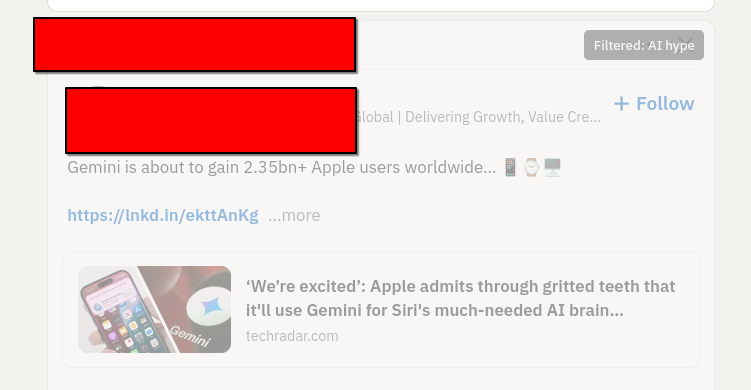
Phew. But what if some of the LinkedIn posts I'm seeing are also... made up. Some of them might even be made up by AI. Could I do something about this?
I could really do with some kind of content filter. It's a shame LinkedIn doesn't allow me to train my own algorithm. Maybe something else could do this though. Maybe this is one of those mythical use cases that are great for AI?
Fight Fire with Fire!
LLMs are really well suited to content classification. I guess if I could find a way to put the LinkedIn content through an LLM and prompt it to identify boring unispired AI cheerleading, I could then reduce the frequency of it. Or maybe just filter it out. I guess I need a semantic ad-blocker. I wonder how hard that could be to build.
Time to talk with Claude. I fire up claude desktop.
How could I build a plugin that filters LinkedIn Posts ? I'd like to use an LLM to build something that removes low quality posts boosting AI or LLM from my feed, ironically
Claude grinds away on this for a few seconds, and pulls out a couple of options. The architecture suggestion is a browser extension. Makes sense. I've built browser extensions before, they're kind of annoying, but the best way to get code control over live browser content. OK Claude, I'm listening..
I scroll past the typescript skeleton code it's printed, unasked for. Another thing I don't want to do is let random LinkedIn content posters burn tokens and the planet for me on some kind of expensive remote AI API. But my (fairly old) desktop machine has a moderately OK recent-ish radeon (AMD Radeon RX 7600 XT iirc). I've used this quite a bit for playing with local models using transformers or llama.cpp or ollama I should be able to do sentiment analysis and tagging on this in something close to real time I reckon.
Ok, I hit the bottom of the claude window and follow up with this
let's do this - generate me a prompt for claude code. An extension - I'd like the UI to just dim post content on a linkedin home page if it strongly matches the criteria - lets use ollama and a small local model like gemma3:12b-it-qat
Ok, so I make a bare directory for the project, called 'linkedin-silencer', chdir to it and run claude , which launches vanilla claude code, updated today, no plugins or user config. Let's raw-dog this. I plop the claude generated prompt into the terminal, and sit there for five or six minutes agreeing to everything. When it's done I ask it to git init and commit what it has and then I quit claude code. Let's have a look at what it's generated for me in an editor.
To the Zedmobile!
I have an ongoing love/hate affair with the amazing zed editor. Much more on the love side than the hate side. What I particularly like about it is a couple of things
it has fantastic out of the box support for common tooling infra. Something like a browser plugin, I'll have the language servers, the linters, whatever all just immediately there and working.
it's not vscode
it's really responsive, the performance of the editor and the editing widgets is super-fast. (i guess i'm just repeating 'its not vscode')
i like how their UX for llm-assisted coding makes it super easy to feed whatever model you like (local, remote, different sizes), with context pulled in directly from the project files - e.g. , you can easily pop a dialog window and have a conversation that asks about just one function in the current file, with reference to a test suite in another file - using completable shortcuts, and it assembles the prompt context for you.
zed really deserves it's own blog post at some time, but once again this is not that blog post.
zed fires up on my project, and I immediately see a bunch of red diagnostics. Oh no, my code is full of bugs I guess. It's not even my code! 😭
I told you LLMs make buggy code!
Yup, this is still sadly true. This is one of the things I think upsets a lot of people who don't like to engage with them. The magic genie still doesn't perfectly perform the magic trick. I guess it would be cool if you could just say 'hey genie, make a thing that's awesome' and trust that it would just happen, but we're not quite there yet.
To be fair to the robot, I don't write code without bugs myself. Also, it takes me much much longer to write my bugs. And, because I'm a selfish egotistical human programmer, I tend to not believe that I've made any bugs and it's sometimes a bit difficult to get my head into the right mode to debug them, because I can't immediately conceive of how or where they would exist. However, I totally get that from a certain point of view, this is breaking the enjoyment model of programming. Lots of people like writing code. Lots of people hate debugging code. Me too, to a certain extent. So now I have to debug maintainence code written for me by a dumb robot. This seems like a bad trade.
That's not the only way to look at this though. One of my big problems is sustaining the motivation to carry through with ideas some of the time. (I have that kind of brain). Ideas are pretty cheap, but iterating on them and executing them can be quite costly. And I already wrote a bunch about the idea of higher order tools as a way to reduce programming adjacent work . This is key to the appeal boundaries I find with the current generation of assistants. The most useful stuff they offer is a way for me to delegate the really boring bits of work like 'setting up a tsc project' , or 'building a nice looking README.md' , or 'refactor that submodule name'. And they can deliver on some of this, some of it really well. Right now though, we have bugs. Well, at least zed will let me use some more assistants for debugging. Let's see how far this river goes.
Debugging
Zed gives me the typescript diagnostics on a separate pane. It's not too bad. there's about two dozen errors, most of them type assignment things.
One thing pops out, it's not happy that I'm using 'chrome' apis for things like local storage. Browser extensions are a bit odd. They basically work like a little web service running in your browser. There's roughly 3 bits to it - the content script (the UI stuff for the extension, works a lot like a traditional JS document), the background service (a service worker, a javascript that runs in the background inside your browser session), and the local store (a way to get data persistence for your plugin, it's basically a KV store kind of thing wrapped over SQlite) - I assume the apis for these are something i need to add to my typescript compiler configuration - they're not part of normal JS I guess.
I pop open a zed assistant window, set it to 'ask only' and 'claude sonnet 4.5' and type
@service-worker.ts - why are there so many diagnostic errors about missing 'chrome' - I'm trying to write a browser extension. I suspect I'm missing some node module or type definitions?
The assistant pulls in the diagnostics tab output and says
The issue is that TypeScript doesn't know about the chrome global API. For browser extensions, you need to install the Chrome extension type definitions. Let me check your project setup:
and tells me I can fix it with
npm install --save-dev @types/chrome
this sounds at least 99% right to me, so I do it. Yup, fixed. I commit this change to git.
The next, and only, non-type error is a bit odd 'duplicate function' against a function called classifyPost , which is a function in the service worker that takes in post text and returns the classification - either 'KEEP' or 'FILTER'. I can see that there's also a function with the same name i the content script. I guess that all the functions in the project are getting combined into the single top level namespace. There's no implied scope then. I guess I could fix this by changing one of the function names, probably using 'rename symbol' in the language server. But maybe there's a way to namespace things ?
I bring the assitant back and ask it
there's a name collision because in @service-worker.ts there's a @classifyPost() but there's also a @classifyPost() in the client/side content code. why is this an error , should these be using some kind of namespace mechanism ?
Claude says yeah, these files are getting pulled in as scripts not modules and everything is in the global scope. It suggests that if I simply add empty 'export ' statements to each they'll be loaded as modules. All I can really remember at this moment about ECMAScript modules is that they're a bit weird, relatively recent, and there's a few different ways to provide library scopes, and some back-compatibility quirks. This suggestion sounds about 75% right to me (hell, I'm no JavaScript expert), but the change is so small I figure it's worth it. It works, so much as the errors go away. Ok, makes sense, i don't need to share any symbols. Let's commit this.
The next small tranche of errors are all about assingments, and I can see they're all coming from storage fetches. It looks like claude has implemented a local LRU cache or something, using the aforementioned local store APIs, and it's pulling values out of this in helper functions and not bothering to consider that the key lookups might return nulls. Classic type fun with database nulls! Well, I know enough to fix this, so I just manually add some intermeidate x | undefined types to the fetches, and put if guards around the reads and return paths. Close enough for jazz
The final error flummoxes me a bit. There's a loop around the elements fetched from the page Document , and it's complaining that the ChildElementList type isn't presenting as an iterable. Sounds legit, but also the code looks fine to me. Assitant time again.
can you tell me what's wrong about this loop - it thinks the NodeList isn't iterable @linkedin-filter.ts
The assistant explains that my typescript configuration isn't including the necessary types to make NodeLists fully iterable. I hit a traditional search engine for confimation, and then I add "DOM.Iterable" to the lib: array in compilerOptions . Zero errors.
I pop open zed's integrated terminal and type npm run build. It builds!
The problem with browser extensions is you have to install them
I'm feeling a bit cocky so I decide to try the extension in firefox. I load it manually using the dev tools as a local unpacked extension. Firefox refuses, because it says the service worker can't be found in background.scripts . I've seen this bug before though, manifest v3 support is a bit variable between browesers.
I add background.scripts = ["service-worker.js"] to the manifest and rebuild and install.
It loads!!! What have I done?! Look on my works, ye mighty, and despair.
I quickly load my Linkedn Page. It's full of AI hypers though 😢 The extension doesn't work.
I pull up the extension UI from the toolbar, and it's enabled. But there is a little red error message saying 'ollama not connected'. Oh dear. I check ollama and the server is running. More debug time.
I figure this one out manually using the web dev tools on the service worker inspector, and playing in console. The requests that are being made to ollama are getting 403. Huh. I wasn't expecting that, it's some kind of auth problem. Ugh, I bet it's CORS stuff. That's always tricky with extensions, they're typically requesting from a weird origin.
I know this, it's a UNIX system!
A bit of searching and a quick chat with claude desktop, and yup, ollama is strict about request origins by default in server mode. I can't blame it. After a bit of fiddling with ollama config, and lots of cursing at systemd overrides. I figure out how to configure Ollama to trust a specific origin (firefox has generated an origin url for the extension automatically, like moz-extension://foadfadfoasdfasldjfadslfja) I can trust this origin really, because its an extension I've installed myself (although I'm not leaving it on like this until I've properly read all the code, i've been running it in the debugger and i can see the requests are pretty straightforward).
I spend about 35 minutes messing about with systemd and restarting ollama before i get the recipe right (this is actually the longest bit of debugging) , and then all of a sudden, I notice the requests have switched to 200 and I reload linkedin and ... almost every post is dimmed and tagged as AI hype. Hmm. It's sorta working. Looking at the posts though, a lot of them are just a bit hype, rather than AI hype. So I adjust the prompt I'm sending, and everything seems good. I now have a browser extension that tags and dims annoying AI hypefluencer posts.
I've pushed the whole thing to GitHub, if you're interested enough to peruse. I'm sure it still has plenty of errors, but it works well enough for a blog post, and maybe well enough that I'll refine it into something a bit more useful. I haven't even tested it in chrome browsers.
Now the only thing left to do is to write an hyped up linked in post about my little project, and see if it works on my own content!
Learnings
browser extensions can be pretty cool content filters
LinkedIn is great, but it sometimes can get a bit vapid.
Anyone who's still telling you code generation assistants are just autocompleters that don't actually work is probably uninformed
free local LLMs can do short text classification work very quickly with modest hardware
I like claude, but I get most value from using it from a mix of clients
Zed is pretty neat, if you're at all zed curious, I say .. do it.
Project 'get off the main web and back onto the indieweb' has been a little bit derailed by 'life events', some of which I should probably blog more about, in the truest spirit of that community. I am still plugging away at it over here in the corner, quietly.
/me waves
In addition to refocusing on self-hosting, some of my other goals were to play better with the "fediverse", experiment with a couple of p2p alternative Internets, and do a few more real-life networking. So tonight there's an opportunity to combine a couple of those, as tonight I am attending the London Mastodon Meetup, in the guise of one of my many secret identities, '[email protected]'.
I'm not sure that disappointed is quite the right word to use, but part of me thinks it's a shame that it isn't
Every January I update my CV. Not because my new year's resolution is automatically job-seeking—because experience has shown me you never exactly know when you might need one.
In the tech industry, the great opportunities appear unexpectedly. (And sometimes, so do the redundancies, sadly) Either way, you don't want to be suddenly rebuilding your professional narrative under time pressure, and fighting with aggravating document tools. It's also a useful forcing function for reflection: what did I actually ship last year? What's the thread connecting my work? Who am I exactly in 2026? What do I even do? What am I for? Why am I here? (Help!)
Rebuild it every year then. It's an easy habit I love, and I've tried to pass onto anyone I've ever mentored or managed, but it's undeniably annoying busywork to do sometimes.
The problem with CV maintenance
Keeping a polished CV that meets my expectations is often grief. And most of the large hard stuff isn't even the content, it's just boring document crap.
Templates make you invisible. If your CV looks like everyone else's, it reads like everyone else's. So don't get sidetracked by an off-the peg template, or layout app. But custom layouts can be really fiddly to maintain. (Ask me about that time I wrote a whole book renderer from scratch)
Two documents in one. A CV is both a timeline (experience) and an argument (the narrative about who you are). Edit one dimension and you often need to adjust the other. It's a constraint system. Meanwhile, asethetics matter! You need to have a nice looking document that will catch someone's eye. It sounds shallow, but you need to appeal to grab attention. First impressions are deep, it's just the way humans work. (It's also the way many robots work).
The two-page constraint. It's a hard rule for me, having spent a long time as a hiring manager, designing hiring pipelines. Nobody wants to spend much more than a few minutes scanning CVs at the earliest stages. Senior roles mean more history, but attention spans don't grow to account for this proportionally. You're constantly trading off: what earns its space? Additions and subtractions mean rewrites, and reflows.
Word processors fight you. Either you accept a simple basic paragraph layout, which puts all the pressure on your sparkling prose and legendary achievements to grab people in the first twenty seconds (no pressure) or you spend half your time wrestling with reflow, column balancing, and spacing. Every edit cascades.
The core issue: content and layout are tangled together. Change a job description, and suddenly your careful two-column balance breaks.
Things I've tried
Over the years I've gone through:
MS Word/LibreOffice with a custom template — works until you need to reflow something, then it's an hour of nudging margins and trying to understand headers and anchors again.
Markdown — great for content, and edits, but you lose precise layout control entirely without exact control for element ids and classes to style.
Custom typesetting software fed from a database — yes, obviously I built one; no, I don't recommend it unless you enjoy yak-shaving and are really into typesetting and PDFs. I don't know why I keep ending up writing PDF generators, but it does seems to be a pattern I often fall into 🤔.
Hand-written HTML/CSS with print stylesheets — surprisingly capable, but debugging print rendering across browsers is its own special pain. And tag soup is a nightmare to edit.
Each approach solves one problem while creating others.
Enter Typst!
For this year's update, I discovered Typst, and I'm a bit in love 😍.
Typst is a modern typesetting language—think LaTeX's goals but with a syntax that doesn't make you want to cry, or immediately switch careers to become a goat-herding shephard or a flat race jockey 🐴. It compiles instantly, has a live-preview online editor, and lets you define reusable components.
What makes it fit particularly for CV workflows:
Separation of content and style. e.g. Define a #jobrole() function once, use it everywhere. Change the formatting in one place, every job entry updates.
REPL-like editing. The live preview on typst.app means you see reflow as you type. No more "save, compile, check, swear, undo."
Proper typographic control. Columns, spacing, fonts, all without fighting a GUI. But also without LaTeX's baroque syntax.
Breakable/unbreakable blocks. Tell it "keep this job entry together" and it just... does. No more role titles orphaned at the bottom of a column.
Version control friendly. It's plain text, so your CV can live in git like any other project. Track changes, branch experiments, diff versions—all the workflows you're used to from code.
CI-ready. Typst has a CLI, which works as a compiler. typst compile mycv.typ takes in a source file and produces a nice PDF. Which I means you can build your CV in a pipeline. Push a change, get a fresh PDF pushed straight to your home page, or emailed to your phone, or whatever.
It probably goes without saying, but Claude/Gemini etc. are all trained in the syntax, and can help you get started or finesse things.
A practical example
Here's roughly what a job entry looks like in Typst:
#role("Platform.sh", "2018–2024", "Cloud Engineer → VP Tooling & Images")[ Six years from IC to VP. Built custom container images, worked on authentication and WAF, worked on hiring pipelines and engineering career frameworks; created the Engineering Excellence and Tools division. ]
One function call. The #role() definition lives elsewhere and controls all the formatting—fonts, spacing, whether it can break across columns. Change it once, every entry updates. You can have a look at my source code in the GitLab repo I have linked. I'm sure it's very amateurish, it's my first crack at using typst like this, and I've spent less than an hour on it, but quite quickly got close to my existing template with ease.
Compare that to copying and pasting styled paragraphs in Word, or fighting with CSS print margins.
A Concluding Point
Tools matter. The friction of your tools shapes what you actually do.
Despite my annual rule, updating my CV was annoying and consumed time. I was constantly reworking my approach trying to get it more automated. Now it's almost enjoyable. Maybe I'll start updating it quarterly. It will also free me up to focus much more on the content and the impact, which is really where I actually want to be spending my effort in this task.
If you've been putting off a CV refresh, and you recognize my complaints about tooling, why not give typst a look. I have no affiliations and nobody has paid me to say this! I just found it, tried it and think it's neat.
A few months ago, I hacked together a kano system to give the children an introduction to computers and what everyone seems to want to call 'coding'. I like the idea, and the style of the kano kit , but I was a little bit dubious about dropping a couple of hundred quid on a 'edutainment' project that might prove to be of little lasting interest. I'm not particularly hung up on the kids achieving productivity with the thing, but if I'm going to increase my pile of computery devices, I'd prefer to invest in things that are going to be useful.
I hacked together my own Kano
Like so many recent consumer 'DIY' hardware kits, the kano systems are built over the super-popular Raspberry Pi single board computer system. The nice kano people provide downloads for their base system (which is built over linux), as well as all their educational software. So, you can fairly cheaply assemble a scratch-build system from parts, especially if you have most of the parts already lying around in your gigantic pile of computery devices, which of course, I mostly do. You just need a screen, a Pi, some input devices, and a suitably-sized SD card to flash an OS image to. (Use this app!)
It all works fairly well. They bundle a collection of educational free software, including the usual suspects (Sonic Pi, Scratch), some slightly more suprising and fun inclusions (Minecraft Pi Edition), and their own 'Kano Blocks' programming system, a kind of scratch-like skin over maybe Python and JavaScript (I haven't really looked into it too much). Most of the value add comes with the user interface kano have used to tie all this together - it's got a nice colourful simplified desktop, and an onboarding script that uses a charming story-telling metaphor with an unfolding narrative (that starts out in a UNIX shell!) to nudge you into a 'learn to program' RPG style adventure. This takes the form of a Zelda style game that walks you through various scripted programming assignments, with a kind of quest structure. The backstory is sort of an updated spin on 'little computer people'. Overall it's quirky, charming, and seems to be quite engaging. Certainly, more appealing and welcoming to younger children than something like a bare Raspbian desktop with the various apps installed.
I think designing user interfaces is really hard. I've done a bit of it myself. To my mind, it is at least as hard, perhaps harder, than writing computer software. On this front, despite a few rough edges, I've been really impressed with how well the Kano design caters to it's audience. By and large, it's pretty suitable for reading-age children to work with mostly unsupervised. (Pleasingly, there's no requirement for a network connection). That's quite a feat. It's not iPad-easy, but it's offering a significantly more freestyle, open-ended computer experience. I had a tiny bit of troubleshooting with WiFi drivers, and sound initially (hey, it's linux on the desktop after all). I expect these wouldn't present if you were using the official hardware kit. I would give a gentle recommendation of kano to anyone that was thinking of introducing a 6-8 year old child to 'computing' in a useful sense. Most of our interface struggles came from a less expected direction...
Intuition
Kano uses a tradtional desktop metaphor, which expects you to have a keyboard and a mouse/trackpad. It's straightforward adding these to a Pi. You can use any standard keyboard or mouse. Your options are USB type A, or Bluetooth. As you might expect, I have piles of these lying around. As it turns out, mostly these are Apple devices, because of historical reasons. These seem ideal. Apple! The fêted industrial design company. Really well built, attractive equipment. Attractive. Robust. World-beating, reliable Bluetooth stack. I had a small parts bin to choose from. Wireless and wired. Mice and trackpads. Aluminium and polycarbonate.
They kind of worked as well as you'd expect. Except the children found them too confusing to use. It turns out, they're riddled with implied behaviour. Multitouch click behaviour for left and right clicks. Or completely invisible mouse 'buttons'. Weird icons for SHIFT, and TAB, and ENTER, and CAPS that are mostly subtle variations on the same symbol. Granted, I'm using the devices outside their expected context, but I was struck by the irony of how unintuitive all of this was, and also how unneccessary. I can appreciate that there's an aesthetic at play here. From a decorative perspective, there's a tasteful and consistent minimalism that ties it all together. I don't think it exhibits good design. I think it's just pseudy, pretentious, and fake.
I like things to be pretty, and I value design. Both concepts are linked, but they ain't the same thing. Minimal interface design is a laudable goal. If you remove complexity from the interface medium, you remove boundaries, lower overheads, and make a system that's quicker, effective, and less taxing to use. If you do this, and you succeed in doing it well enough, there's an inherent beauty to any well considered tool, that sits somewhere beyond visual proportionality and materials. All these Apple peripherals fail to deliver much of this, sometimes quite badly. I was a bit surpised that I never noticed this so directly in the ten years or so I worked with these tools. But I was already an expert user, these flaws were a couple of layers lower than I was used to looking. Admittedly, some of the mice were pretty terrible, but I have famously always been more of a keyboard man.
After a couple of months of rotating the devices, and patiently explaining that you press over here for this kind of click with this finger, and over there for the other purpose, with a different finger, and this kind of arrow is SHIFT, but that kind of arrow is CAPS LOCK, and scrolling happens this way, I caved and bought a Logitech K-400. It is battleship grey, and not particularly pretty. It uses a dongle for wireless, not bluetooth. The integrated touchpad works fine, and has two differentiated physical buttons. The SHIFT key is labelled with the word 'Shift'. It has been immediately popular, and I have not yet had to field a single question about how the keyboard or pointer works.