Heliotrope 2013-09-01
Heliotrope : This German rotating building design, was the first building in the world to generate more energy than it consumed.
tagged as
Heliotrope : This German rotating building design, was the first building in the world to generate more energy than it consumed.
Blame The Daily Mail : Adam Curtis in wonderful form on the roots of MI5.
IDW formally announces "The Strange Death Of Alex Raymond" : That is one busy cover.
Can birds fly into a headwind faster than their own maximum speed ?: An intriguing suggestion. I've long admired the eider duck's specialized adaption to a brutal climate.
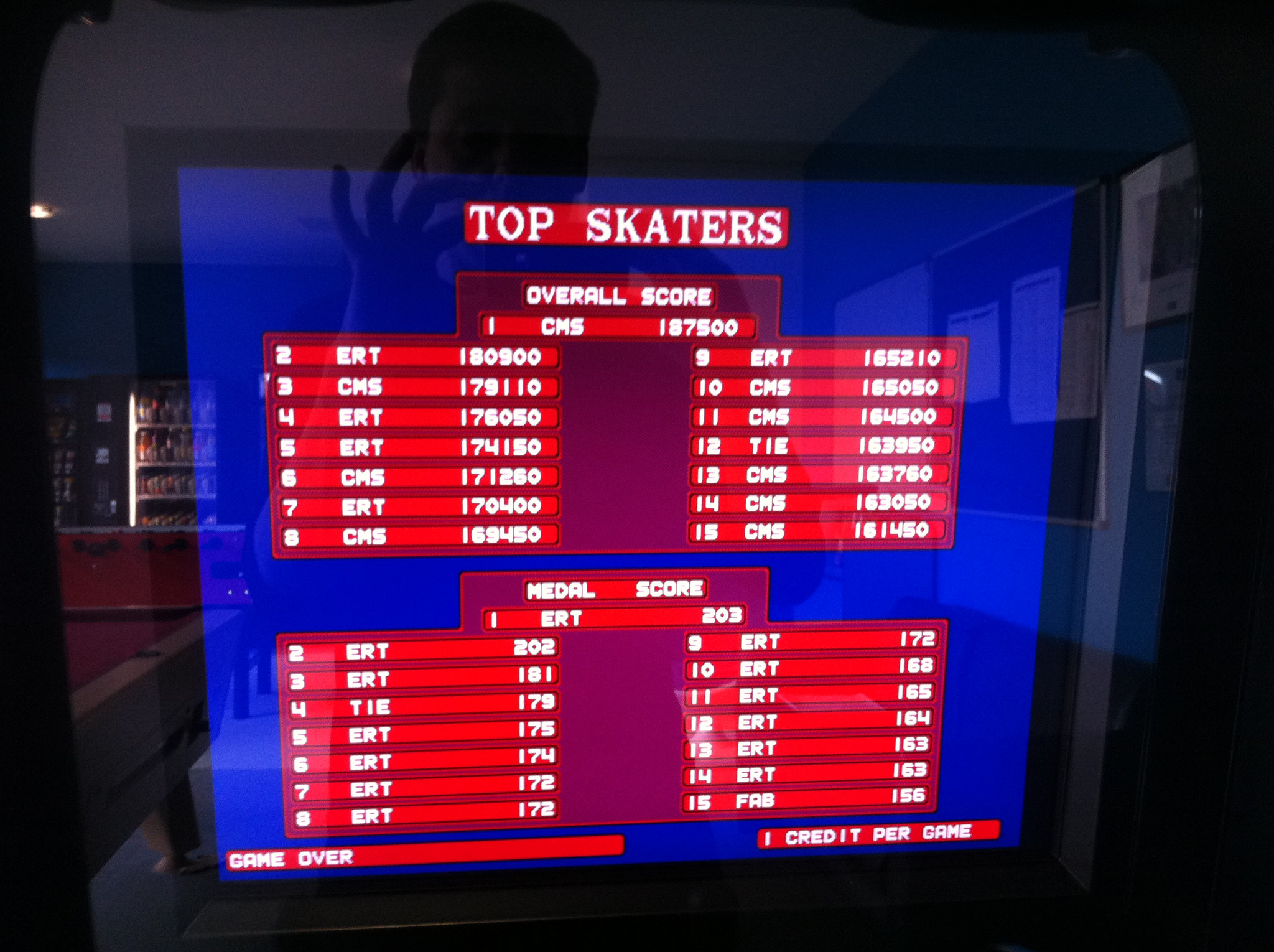
This is what my final day at last.fm looked like.
In the morning, this.

Yes, I'm working on getting a MAME cab smuggled into Moonfruit.
Enron Email Dataset : cleaned up, organised, and presented as part of the Internet Archives dataset collection.
The Bitch, the Stud and the Prawn: " It was a film called Crust. It told the story of a pub landlord who finds a giant seven foot mutant shrimp on a beach. The landlord then decides to teach the shrimp to box - and believes this will make his fortune. "
Self cleaning eggs : Guillemot eggs have a surface microstructure that makes them self-cleaning eggs, like a birds egg, EGG.
Creating retain cycles by misusing assertions : The documentation does state it, but it's always worth remembering that NSAssert is only for use inside Objective-C methods.
A potential exhibition of Yellowism :Tate Britain is organising an exhibition of art that has been attacked in publlc.
My friend Jim won 15 quid by solving the New Scientist Enigma Puzzle. The really neat thing is he did it 32 years after the fact. Read all about it here , in his own words.
Would anybody with a working BBC like to contribute a real world run time for his BBC BASIC based solution?
Jim runs the Enigmatic Code blog about his hobby of solving New Scientist's Enigma puzzles using short python programs, which anyone can play along with at home.
L'Inconnue de la Seine : The death mask of this unidentified Parisian teenage suicide became a popular early-20th century objet d'art , eventually the model for the face of the standard CPR training mannequin.
This afternoon I went on a short guided tour of the decomissioned Royal Navy submarine, HMS Ocelot . It's in a dry-dock at the Royal Dockyards working museum at Chatham , just 20 minutes down the road from home.
Apologies for the poor quality of the photos. I only had my iPhone, with 15% remaining charge, and submarines do not offer much in the way of natural lightning.
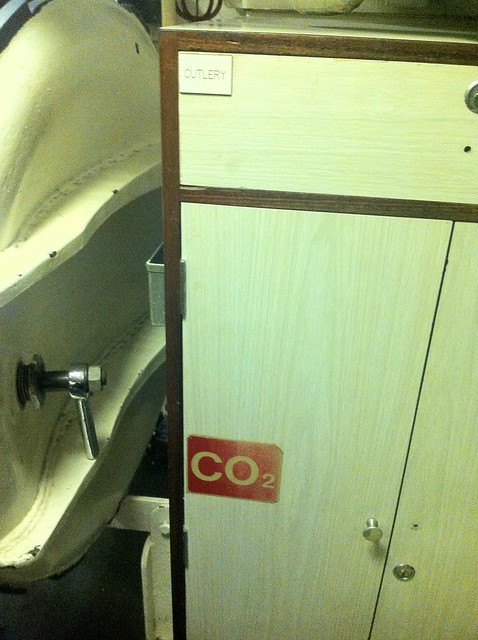
Despite having owned a year pass for the best part of a year, and frequently admired the Ocelot from the outside, this is the first time I've been aboard. The tour is short, cramped, and completely fascinating, although perhaps not for the squeamishly claustrophobic, and definitely not for the mobility impaired.
The Dockyards is a superb example of a modern lottery-assisted regeneration project. There's several large ships in dock you can wander around, huge warehouses full of boats and machinery to pore over, a ropery, an art gallery space, a working steam railway, several sub museums. Far more than you can do in a single visit, but your ticket, once purchased, is good for 12 months of repeat admission.
Cauliflower Hindenburg : taken from a series of model reconstructions of famous explosions, made from cauliflower.
Fretboard Heatmaps : This is a really neat idea, although it's a pity it has so few artists.
'Supergiant' crustacean found in deepest ocean : 34cm amphipod discovered in the Kermadec Trench.
Album Shuffle : I published my playlist generating python tool onto github
I was churlishly unimpressed by the iTunes "12 days" Christmas promotion this year. However whilst subsequently browsing the iTunes Store home page I did find one app that impressed me enough to blog about.
There's a store section called " Apps Starter Kit " which lists a dozen or so applications that Apple are promoting as "must have" installs for new iOS users. I installed a handful of these to my iPhone 3GS, but the one that has most impressed me so far is the iOS edition of DragonDictate .
It's a "split brain" app, by which I mean it uses "the cloud" to perform the text-to-speech conversion. So far I have been quite impressed with the accuracy of the process, in fact I have created this blog post by dictating while walking the dog, with just a little editing afterwards for tidy up and to add hyperlinks. I suppose it is a little like a poor man's edition of Siri, minus the pretend A.I. and the search and reminders integration.
You can get text by dictating into a text box within the application and there is a quick menu of options that allow you to create an SMS or an e-mail or copy the text to the system clipboard easily for use in other applications. This collaboration isn't too clunky and although dictating text into your phone is a little stilted it doesn't seem to be significantly less effective than my relatively crappy typing on the iPhone on-screen keyboard.
The app was free, presumably it's intended as a promotional device to introduce users to the Dragon family of software applications. Obviously there are some privacy concerns raised by having the voice processing performed on a remote server, but the terms and conditions include a privacy policy which guarantees to preserve your anonymity and keep your data private. The application did even prompted me to ask if I wanted all of my contact names uploaded to the remote service for greater the use of name recognition, and took pains to explain that this would only include name fields from my contacts database and no other personally identifying information or contact details.
I am not sure I would make a habit of using it for writing long articles or even blog posts like this but I think it could prove to be quite useful for such purposes as short e-mail replies or even sending SMS messages in situations where it's inconvenient to type.
Faster Fourier Transform : MIT researchers will present a new algorithm that improves on FFT.
I knew Christopher Hitchens better than you : Neal Pollack clearly knew him very well indeed.
If you have a Mac, and you use Terminal.app to run UNIX commands, try executing this for a cool shell prompt
export PS1="\360\237\220\232 $ "
See what I did there?
If you are using a UTF-8 encoding for your terminal, which you probably are, and if you're using a recent OS X, and have the right fonts installed, which you probably do, you should have a little sea-shell graphic for your prompt. Literally a cool shell prompt.

In a recent revision to Unicode , code points were assigned for many emoji. Emoji-what-now? These are little emoticon glyphs that rose to popularity in Japan . Apple have included a nice typeface with full colour icons for a subset of these in the last couple of releases of both iOS and OS X, so you can use them in most applications that use the system type rendering library, like Messages. On OS X, this includes the bundled Terminal.app terminal emulator. So you can print little icons in your shell, if you know an encoding for a particular glyph.
Here's the ever popular 'pile of poo' ( U+1F4A9 )

Not sure what that is supposed to be used for, but it's terribly popular on the internet. "But how", I hear you ask, "do you find out the encoding sequences for these appealing novelties?"
Well, you can search for unicode code tables on the internet. On the Mac though, the easiest thing to do is probably to enable the Character Viewer tool via the Language and Text System preference pane.

This gets you a panel like this, where you can browse all the characters your computer knows how to render, including all the emoji sets, and find out their Unicode code points, and more importantly, a way to encode that code point in UTF-8.

So, as you can see in my fecal example, the UTF-8 byte sequence for 'pile of poo' ( U+1F4A9 ) is F0 9F 92 A9, and we can print that in a bash shell, using echo with the -e flag to enable interpreting of escape sequences, using the \x escape prefix to indicate bytes in hex.
Going back to the original shell trick, the shell emoji ( U+1F41A ) has the UTF-8 encoding F0 9F 90 9A. The bash shell doesn't seem to have an escape sequence for hex encoded bytes in it's prompt string, but it does interpret 3 digit codes prefixed with a plain \ as octal encoded literal bytes, so if we convert this hex string to four octal numbers, using bc or od, or emacs or just Calulator.app, we get the escape sequence from my initial shell example - "\360\237\220\232"
So far so cute. But is there anything vaguely useful you can do with this sort of thing? Sort of. A picture's worth a thousand words. So we could perhaps encode mnemonic information in icons, and somehow dynamically update the prompt to reflect this.
Bash will execute the contents of an environment variable PROMPT_COMMAND as a shell command immediately before the shell prompt is printed. Typically this is used to update terminal colours or title strings with escape sequences, or update PS1 to add some content that can't be printed using the built-in prompt escape functions. I decided to make my prompt respond to the result of my most recent command.
Here's the relevant shell glue I just stuck in my .bashrc
emoji ()
export PROMPT_COMMAND='PS1=$(emoji $?)'
This runs a shell function called emoji in a subshell, which returns a string based on the input argument. The input argument I'm using is the exit status of the last shell command. This gets me a smiley face in my shell prompt, unless the last command I ran returned a non-zero exit state, which in UNIX, indicates a problem happened. This makes my prompt draw as a 'confused smiley', if something has gone wrong.

Still cute, and almost useful!
I think I'll keep it for a while.
According to wikipedia, the term " Churnalism " was first coined by a BBC journalist. I think they may still have journalists working there.
See how many items of product placement you can see in this proud piece of presumably PR-led "pop sci" about smart vending machines . I found it, prominently linked, on the BBC news home page on Boxing Day. The entire notion has a whiff that classic of white elephant puffery from the old school the internet fridge about it.
I don't know if I'm alone in finding this sort of thing repellant. The motivation to whip up this kind of nearly content-free guff into page length pieces must come from somewhere, which means a degree of specific intent. There's the skeleton of an interesting piece on mechanical learning and commercial interests buried in there somewhere, but I find it difficult to read when I keep being stabbed in the eyes by blatant marketing copy, much of which I uncharitably suspect of being pasted in directly from the source press-release. The focus of the piece ought to be on the science, perhaps some of the biometrics and algorithms supporting the interesting sounding audience impression metric (AIM) software , but that's given a throwaway mention; instead the article's centre of gravity seems distorted to orbit around some recently launched consumer products, with little depth of story. Weird details leave unanswered questions hanging. In what way is a new Jell-O SKU "Just for adults" to the extent that it requires a screening interview by femputer ? Titillating teaser questions like this are familiar marketing devices used to capture and exploit base curiosity, but seem out of place in a news piece without any resolution. How does the system handle adults whose body shape diverges strongly from their defined four age brackets? What the merry heck is a general manager of personal solutions anyway?
I gave up counting the product placement incidents after the first couple of paragraphs. Only someone with intimate knowledge of the BBC house style rules would know just how many direct repetitions of the properly capitalized brand names Kraft and Intel are strictly necessary, but there seem to be an awful lot of them littering the piece. There's a lovely Intel i7 box graphic three-quarters of the way down the piece; it seems to me only tangentally related to the story, yet conveniently re-uses the branding iconography supporting their current consumer-targetted CPU line.
Like many a British license-fee payer, I have a peculiar, combative slightly proprietorial relationship with the BBC; being in some weird sense a stake-holder in this unique broadcasting organisation; pride mingles with a misplace sense of ownership, disappointment tangles with admiration. Once upon a time I viewed their web initiatives as exemplary, inspirational and essential. These days they seem increasingly overcooked, irrelevant, and misguided.
I realise, in a sense, I'm a grumpy old man ranting at the telly, but I think this tapering off of content quality provided by BBC online is a real thing. If so, a really worrying trend; added to this we have an effectively Conservative administration, who I'm sure would love to see the BBC, already in retreat, broken up further. Spreading out the more lucrative parts of the special quasi-monopoly, to their chums in commercial broadcasting whilst binning even more of the less lucrative parts in the name of austerity would fit in well with their principles of government.<p>-AppleLanguages : Overload the locale for cocoa programs at the command line.
Every HN Thread, ever : It's a particular flavour of Eternal September over there.
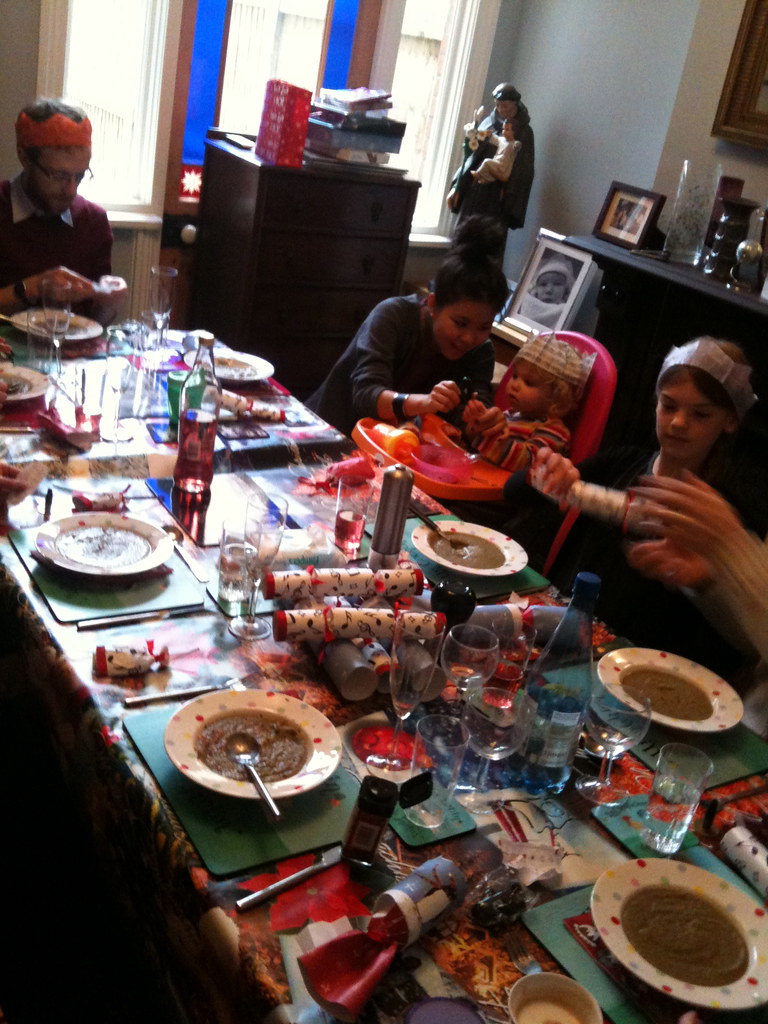
This year scheduling means our turn for hosting the big family meal falls on Christmas eve. Mrs S. did the lion's share of the cooking, facilitated by a new kitchen, more commodious than the postage stamp sized galley we've had for the past couple of years. Champagne, ice-cream,CBeebies pantomime on a loop, nut-roast, sprout and chestnut soup, mechanical penguins, musical crackers, roasted vegetables, and plenty of early presents for young Ada May to open and get over-excited about. Merry Christmas to all four of my readers!
The cognitive benefits of chewing gum : Study shows chewing gum effectively boosts mental performance.
Ken Russell RIP : One of the 'name' directors that made me realise I was pretty interested in film.
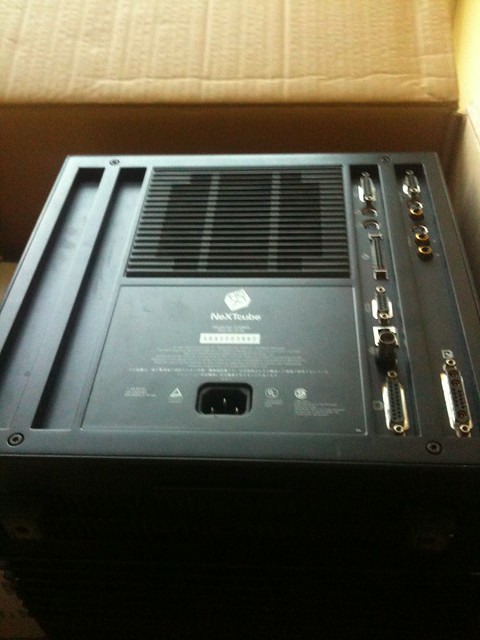
Of course, I bought and read the Jobsography , Kindle edition, naturally. While I'm not sure I identify with all the howling fanboys' anguished reviews, given my role as super-NEXTSTEP-fanboy I was a bit disappointed, although not particularly surprised, at the relative lack of NeXT content. So I was overjoyed when this 1986 PBS documentary , featuring NeXT in it's pre-launch startup guise, popped up in it's wake. The linked blog post also contains the NeXT stevenote, from the eventual product launch.
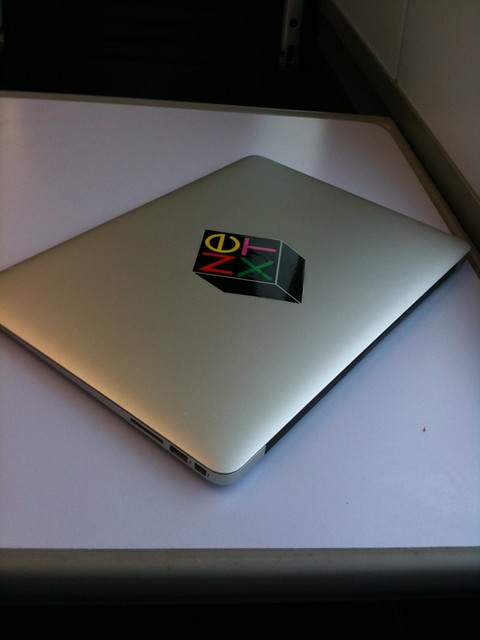
Of course it's not actually running NEXTSTEP. Of course, in a sense it is. Just like your phone.
Thanks to ebay. I like the fact that the sticker arrived with a little template indicating the correct 28° of jaunt. I ignored it of course, and just lined it up by eye.
Things that Turbo Pascal 3 is smaller than : The Turbo Pascal 3.02 IDE and compiler, for MS-DOS, was an executable slightly less than 40KB in size. Here's a list of computery things that are larger than that.
I'm experimenting with desktop email clients again.
I like Apple Mail a lot, it's one of my favourite examples of GUI desktop application, but the last couple of iterations have made it a little more clumsy to use with keyboard navigation, and it doesn't scale terribly well to managing multiple, high-volume IMAP accounts. Particularly, I find refiling groups of similar emails to be more labour intensive than this task would seem to require. By means of contrast I love refiling mail on my iPhone using Apple Mail for iOS, in truth I love using Mail on my iPhone for any mail task way more than I'd expect, it's insanely usable for an email client on a tiny, squeezable hand-toy.
The real impetus for investigating a desktop alternative has come from our recent switch to using GMail for our corporate mail service at work. I hate google mail's not-quite-IMAP IMAP implementation, I hate it's sluggish IMAP performance through Mail.app, and I hate hate hate it's god-awful webmail interface. So I've been putting some thought into rethinking the way I process email. Naturally my first line of attack is to retreat to emacs .
I've used emacs for mail before, on and off. When I first switched to using linux for my desktop systems, way back in the 90s, I used gnus on emacs for mail for a while, then when I made the switch to XEmacs for a couple of years I discovered VM , which was my main INBOX on and off, following me back to GNU Emacs, with occasional experiments with Netscape Navigator , and Evolution up until I switched to a Mac full-time, around 2001. I do recall trying Thunderbird a couple of times, but I could never tolerate it for much longer than a half-hour. I also used Wanderlust for emacs for a few months when I first started working at last.fm, but I switched to using a Mac at work shortly after that, and added my work email to my Apple Mail setup.
This time around I'm trying to re-organise the way I approach mail fundamentally. A few years ago, I started deleting mail after I'd read it, unless I definitely felt it warranted keeping. I really liked the feeling of freedom that seemed to open up, releasing me from worrying about tidy filing of hierarchical mail archives that always needed archiving and backing up. Inspired by GMail's approach to tagging and searching, the mail I did keep I filed into a small set of IMAP buckets and indexed them in Apple Mail with labels and "smart folder" searches. So I'm trying to push that even further, and I'm trialling mu , a decidedly minimalist interface to email.
mu works over a local mail store, ideally Maildir . So I've started syncing my work GMail account to my laptop, using the mature, Free software syncing tool offlineimap ( I installed it from macports ). offlineimap has specific GMail support, and it's super-easy to set this up to sync to a GMail account, although I had to add a
 folderfilter =
  lambda foldername: foldername not in ['[Gmail]/All Mail']
to the account configuration in ~/.offlineimaprc to stop it syncing the Gmail "All Mail" filter as an IMAP folder, meaning I had 2 copies of every email going down. I set up a User launch agent via launchd to run offlineimap every 5 minutes, syncing to ~/Library/OfflineIMAP/lastfm/
Once the mail was syncing both ways, I ran
MAILDIR=~/Library/OfflineIMAP/lastfm/ mu index
to initialise the mu indexes. I can now explore the mail archive from the shell using commands like
mu find from:jira date:2w..today
which would return a summary list of emails matching the search criteria (i.e. all mail sent from JIRA in the last 2 weeks). mu is based on the xapian indexer library, and these queries run lightning-quick. The indexing process is thus entirely separate from the imap sync, and the indexes need to be updated by re-executing the 'mu index' command to keep them fresh. This takes fractions of a second after the original indexes are built.
I'm not really interested in running searches from the shell though. mu is really an archive browser ; ideal for integrating with other mail reading and sending utilities. mu ships with a nice keyboard friendly emacs interface called mu4e . mu4e offers quick navigation short cuts to browse IMAP folders, a simple syntax to mu searches, and a list of bookmarked searches, much like virtual folders. mu4e can be set to periodically update the mu index, and even run a Maildir sync, such as offlineimap. Here's the config elisp block from my startup files.
 (setq-default
  mu4e-maildir "~/Library/OfflineIMAP/lastfm"
  mu4e-drafts-folder "/Drafts"
  mu4e-trash-folder "/Deleted Messages"
  mu4e-sent-folder "/Sent Messages"
  mu4e-refile-folder "/Archive"
  mu4e-mu-binary "/usr/local/bin/mu"
  mu4e-sent-messages-behavior 'delete
  mu4e-get-mail-command "true"
  mu4e-update-interval 300)
all of which is quite straightforward. The root of the various folder paths is the top level Maildir. mu4e-sent-messages-behaviour is set to the symbol delete, which is recommended for GMail accounts, as GMail auto populates one of it's magical pretend folders with all sent messages. I have set mu4e-get-mail-command to true because I prefer to have the Maildir synced via my launch agent, independently from emacs.
There's a very nice mu4e manual which documents the package in detail, I haven't managed to work through it all yet. So far I'm managing quite well with manual searches, and the default set of keybindings and stored bookmarks. List view management follows the usual emacs semantics of building up 'marks' on list entries and then applying the actions in bulk, familiar to habituated emacs users from org-mode , wanderlust, dired etc.
The mail and editing and sending is borrowed from the usual emacs GNUS / smtpmail combination, which is fine, as these work perfectly well.
I've found only one tricksy wrinkle; mu4e, like any sensible thing expects email to be in plain text. If the viewer is summoned on a rich text ( usually HTML ) mail, it tries to convert it to plain text for viewing. By default is set up to use emacs built in html2text method, which frankly sucks, and failed to convert the majority of HTML mail in my INBOX. mu4e has a configuration variable mu4e-html2text-command option to use an external conversion command. This should be a utility that accepts HTML input on stdin, and returns converted text on stdout. The manual suggests using the python-html2text utilities, but I think on a Mac it makes more sense to use the mildly obscure, but occasionally useful, Apple provided shell tool - textutil
It needs to be invoked like this to work with mu4e.
  (setq mu4e-html2text-command
  "textutil -stdin -format html -convert txt -stdout")
And with that, everything works great. I'm going to try living with it for a few weeks before I customise it further, but I'm looking forwards to setting up Wanderlust-style dynamic refiles, and integrating crypto support, so I can return to GPG encrypting and signing my mail again, like I ought to, at my age. Never forgetting, of course, cms 1st law of software :- "All mail clients suck, intrinsically"
As if finding young me in a box wasn't enough of a memo from Father Time, I've had the "circle of life" message underlined firmly this weekend, by throwing my back out. I mean, properly out, like a sit-com old man, or a Dad from the pages of the Beano. Lifting hurts, walking hurts, sitting mostly hurts, breathing hurts, and bending over is right out. It's one of those marvellous hysterical systems, as the slightest twinge of pain induces all sorts of involuntary tensing in the frantically overcompensating muscle superstructure of my back. The lower nervous system is clear in it's mission. No harm must befall the spine. I strongly suspect that the resultant freezing and spasm makes everything significantly more painful than the original twinge would have managed on it's own, but I am not a doctor. Even though I often assure people that I am, this is actually a well-practiced lie, serving the purposes of antique stock-comedy forms.
The generational aspect of this calamity draws from the fact that I triggered the strain whilst throwing young Ada May ceilingward, in response to her requests to "play flying". Unluckily for me, the initial spasm occurred at the point of release of a throw, meaning that despite my attention being drawn to all sorts of immediate and novel spinal trauma, I still had an falling two year old to catch safely before I could collapse sobbing to the floor with my honour and dignity intact. Two year old children, I must say, are quite a bit heavier than their one year old incarnation.
The thing with back trouble, most sources assure me, is to try and persevere through it. Grit one's teeth, and carry on as much of your normal routine as you can manage. On no account admit defeat and flee to your bed rest. Rest will relax and weaken your back, and exacerbate the problem, or if you're unlucky, invent some new ones. And so I struggle forwards in embittered mimicry of my daily routine, gasping and wheezing and moaning every couple of steps, frozen in place with involuntary grimacing stuck to my face. It has taken me nearly twice as long to get to work as it ordinarily might. Negotiating St. Pancras, I find myself flooded with sympathy for anybody with genuine mobility problems. The place is a nightmare, and it's supposed to be one of London's newest, most accessible hubs. I inch my way towards the office. All my hope is invested in my fancy orthopaedic stool . Please, mighty German engineering, please do your work.
Twenty-five year old me pouts condescendingly from my home page as I update my blog. He's got nothing but contempt for broken backed old men. He's too vain and pre-occupied to worry himself with mundane things like exercise and posture. I'm starting to hate that guy a bit.
Raspberry Pi Radio : Official last.fm scrobbler build for Raspberry Pi/Raspbian